Fax features
175
4. Special Features
You can set your machine to print a confirmation report automatically each
time sending a fax is completed. Press (fax) > (Menu) > Fax Setup
> Sending > Send Report on the control panel.
28
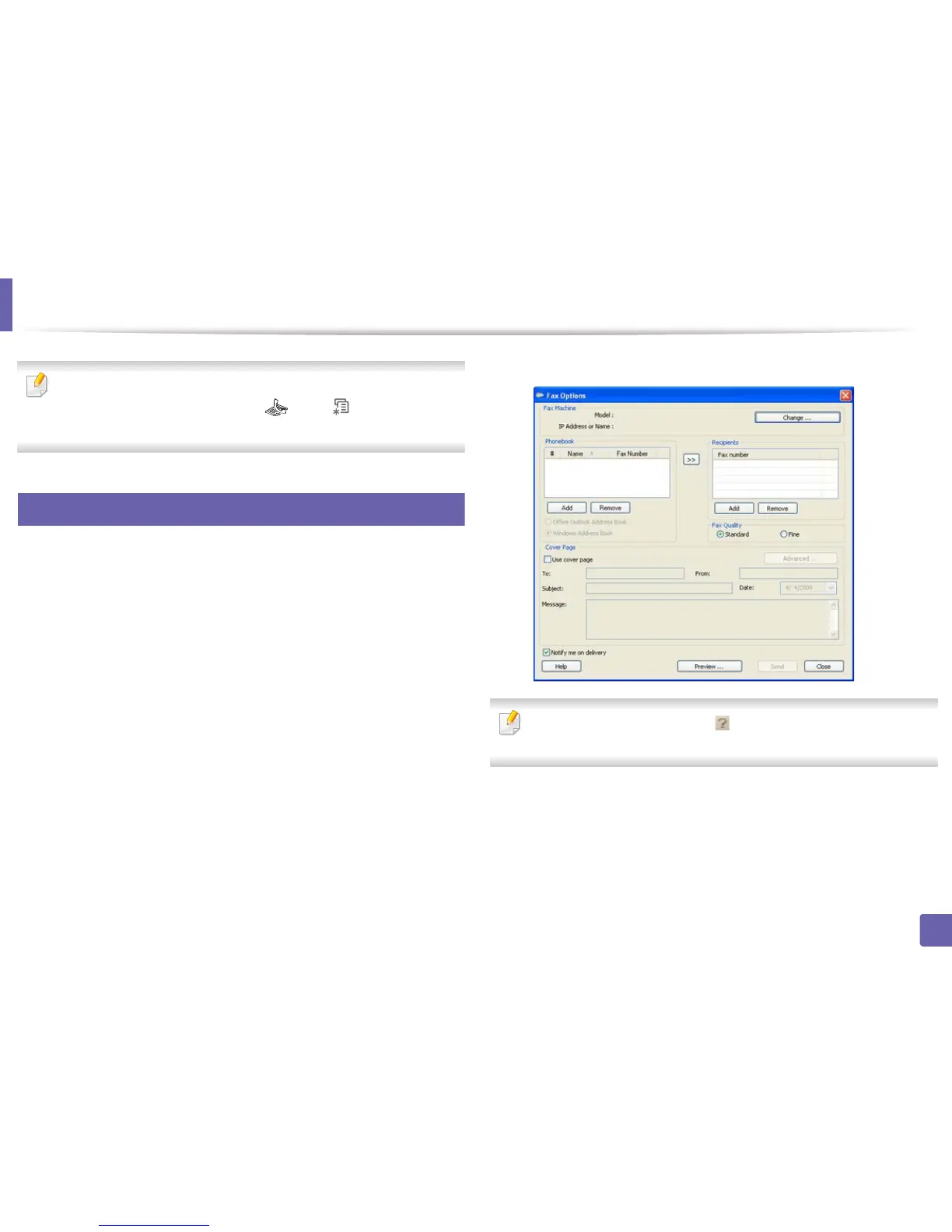
Sending a fax in the computer
You can send a fax from your computer without going to the machine.
To send a fax from your computer, the Dell Network PC Fax program must be
installed. This program will be installed when you installed the printer driver.
1
Open the document to be sent.
2
Select Print from the File menu.
The Print window will be displayed. It may look slightly different
depending on your application.
3
Select Dell Network PC Fax from the Print window
4
Click Print or OK.
5
Enter the recipients’ numbers and select the option
Select the Help menu or click the button from the window and click on
any option you want to know about.
6
Click Send.















 To Next Page