EasyManua.ls Logo

Dell C7016H - User Manual

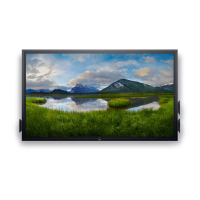
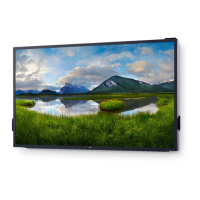
Dell C7016H
56 pages
Print Icon
To Next Page IconTo Next Page
Loading...
Regulatory model: C7016Hf
User‘s Guide
Dell C7016H

Other manuals for Dell C7016H

Questions and Answers

  • B
    Bradley WallaceSep 2, 2025
    How do I fix horizontal or vertical lines on my Dell C7016H?
    • A
      Alan MataSep 2, 2025
      To fix horizontal or vertical lines on your Dell monitor, consider the following: * Reset the monitor to Factory Settings. * Perform Auto Adjust via OSD. * Adjust Phase and Pixel Clock controls via OSD. * Perform a monitor self-test feature check to determine if these lines are also in self-test mode. * Check for bent or broken pins in the video cable connector.
  • D
    Danielle NolanAug 31, 2025
    What to do if my Dell C7016H shows 'No Input Signal' when pressing user controls?
    • J
      Justin DelacruzAug 31, 2025
      If your Dell monitor displays 'No Input Signal' when user controls are pressed, try these steps: * Check the signal source. * Ensure the computer is not in power saving mode by moving the mouse or pressing any key on the keyboard. * Check whether the signal cable is plugged in properly. Re-plug the signal cable if necessary. * Reset the computer or video player.
  • J
    Jesse LoweAug 29, 2025
    How to fix if the screen image is too small on Dell C7016H Monitor?
    • V
      vcastilloAug 29, 2025
      If the screen image appears too small on your Dell monitor, try these steps: * Check the Aspect Ratio setting in the Display OSD. * Reset the monitor to Factory Settings.
  • A
    Ashley DavisAug 28, 2025
    Why is the video shaky or jittery on my Dell Monitor?
    • S
      Susan FergusonAug 28, 2025
      If you're experiencing shaky or jittery video on your Dell monitor, try the following: * Perform Auto Adjust via OSD. * Adjust the Phase and Pixel Clock controls via OSD. * Reset the monitor to Factory Settings. * Check environmental factors. * Relocate the monitor and test in another room.
  • B
    Brandon PittsAug 27, 2025
    How to resolve brightness problems on a Dell C7016H Monitor?
    • W
      williamclarkAug 27, 2025
      To resolve brightness problems on your Dell monitor, try these steps: * Reset the monitor to Factory Settings. * Auto Adjust via OSD. * Adjust brightness & contrast controls via OSD.
  • S
    scurryAug 25, 2025
    What to do if there is no video but the power LED is on on my Dell Monitor?
    • S
      Sarah PetersAug 25, 2025
      If your Dell monitor isn't displaying video but the power LED is on, try these steps: * Increase the brightness and contrast controls via the OSD. * Perform a monitor self-test feature check. * Check for bent or broken pins in the video cable connector. * Ensure the correct input source is selected via the Input Source Select menu. * Run the built-in diagnostics.
  • S
    Shannon BryantAug 22, 2025
    Why is the USB interface not working on my Dell C7016H Monitor?
    • R
      Richard WoodAug 22, 2025
      If the USB interface on your Dell monitor isn't working, try the following: * Ensure that your monitor is turned ON. * Reconnect the upstream cable to your computer. * Reconnect the USB peripherals (downstream connector). * Switch the monitor off and then on again. * Reboot the computer. * If you are using some USB devices like external portable HDD that require higher electric current, connect the device directly to the computer system.

Summary

About Your Monitor

Package Contents

Lists all components included with the monitor, with a note on optional items.

Product Features

Remote Control

Identifying Parts and Controls

Monitor Specifications

Flat-Panel Specifications

Setting Up the Monitor

Connecting Monitor Cables

Guides on connecting VGA, DP, HDMI, MHL, and USB cables for monitor setup.

Wall Mounting

Operating the Monitor

Monitor Controls and OSD Navigation

Explains front panel buttons, accessing the OSD menu, and basic navigation.

Brightness and Contrast Adjustment

Explains how to adjust the monitor's brightness and contrast levels via the OSD menu.

Input Source and Color Settings

Guides on selecting input sources, adjusting color settings, and preset modes.

Setting the Maximum Resolution

Troubleshooting

Self-Test and Diagnostics

Explains how to run self-tests and built-in diagnostics to check monitor functionality and identify issues.

Dell C7016H Specifications

General IconGeneral
Screen Size70 inches
Resolution1920 x 1080
Panel TypeVA
SpeakersYes
Aspect Ratio16:9
Contrast Ratio4000:1
Response Time6 ms (gray to gray)
ConnectivityHDMI, VGA
Viewing Angle178° (horizontal), 178° (vertical)
VESA Mount400 x 400 mm
Speakers Power20W

Related product manuals