EasyManua.ls Logo

Dell D32M002 - User Manual

Dell D32M002
110 pages
Print Icon
To Next Page IconTo Next Page
Loading...
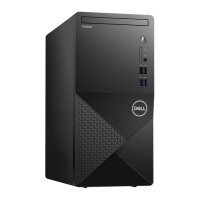
OptiPlex 3000 Tower
Service Manual
Regulatory Model: D32M
Regulatory Type: D32M002
March 2022
Rev. A00

Table of Contents

Other manuals for Dell D32M002

Questions and Answers

  • A
    Amanda MendezAug 18, 2025
    How to fix a CPU failure on my Dell Desktop?
    • N
      Nancy BrandtAug 18, 2025
      If your Dell Desktop is showing signs of a CPU failure, start by running the Dell Support Assist/Dell Diagnostics tool. If the issue continues, consider replacing the system board.
  • K
    Kevin JonesAug 20, 2025
    What to do if my Dell Desktop doesn't detect memory/RAM?
    • N
      Nathan RobertsAug 20, 2025
      If your Dell Desktop doesn't detect memory or RAM, first ensure the memory module is correctly installed. If the problem persists, try replacing the memory module.
  • B
    brownbrittanyAug 23, 2025
    How to fix system board failure on Dell D32M002?
    • A
      austinpaulAug 23, 2025
      To address a system board failure, including BIOS corruption or ROM errors, on your Dell Desktop, begin by flashing the latest BIOS version. If the problem continues, replacing the system board might be necessary.
  • M
    Matthew CombsAug 26, 2025
    What to do if Dell D32M002 has memory/RAM failure?
    • C
      Crystal MullinsAug 26, 2025
      If your Dell Desktop experiences a memory or RAM failure, try resetting the memory module. If the problem continues after resetting, consider replacing the memory module.
  • D
    Dana SanchezAug 28, 2025
    What to do if my Dell D32M002 says invalid memory is installed?
    • B
      Bradley HardinAug 28, 2025
      If your Dell Desktop indicates an invalid memory installation, attempt to reset the memory module. If the issue persists, consider replacing the memory module.
  • R
    Regina RobertsonAug 30, 2025
    How to fix system board/chipset error on Dell Desktop?
    • J
      Jeffrey TorresAug 31, 2025
      To resolve system board, chipset, clock, Gate A20, Super I/O, or keyboard controller failures on your Dell Desktop, start by flashing the latest BIOS version. If the problem persists, replacing the system board may be required.
  • V
    Valerie MoranSep 2, 2025
    How to fix CMOS battery failure on Dell D32M002 Desktop?
    • P
      philiphornSep 2, 2025
      If your Dell Desktop shows a CMOS battery failure, try resetting the CMOS battery connection. If the problem continues, replace the RTS battery.
  • S
    Stacy OrtizSep 5, 2025
    What to do if BIOS Recovery image is not found on Dell D32M002?
    • E
      Elaine PerezSep 5, 2025
      If your Dell Desktop is not finding the BIOS Recovery image, flash the latest BIOS version. If the problem persists, replace the system board.
  • D
    David GarciaSep 7, 2025
    What to do if BIOS Recovery image is invalid on Dell D32M002 Desktop?
    • J
      Jose BakerSep 7, 2025
      If the BIOS Recovery image found on your Dell Desktop is invalid, flash the latest BIOS version. If the problem persists, replace the system board.
  • V
    Virginia WilsonSep 10, 2025
    How to fix PCI or video card/chip failure on Dell D32M002?
    • D
      Diana HarrisSep 10, 2025
      If your Dell Desktop experiences a PCI or video card/chip failure, the suggested solution is to replace the system board.

Dell D32M002 Specifications

General IconGeneral
BrandDell
ModelD32M002
CategoryDesktop
LanguageEnglish

Related product manuals