Dell
for Dell computers.
the device
the device
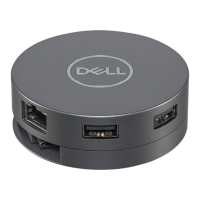
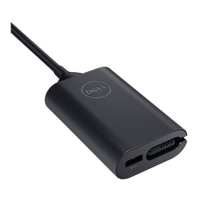
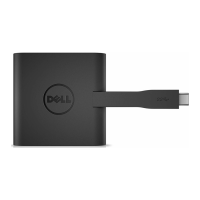
Troubleshooting for Dell USB-C Adapter (DA200)
Troubleshooting
Which devices does DA200 work
with?
Can DA200 charge my computer?
Where can I download drivers
for DA200?
There is no video on the monitor
attached to the DA200
The video on the attached monitor
is distorted or corrupted
The video on the attached monitor
is not displaying in extended mode
HDCP content is not able to
display on the attached monitor
USB ports are not functioning on
the adapter.
Laptop failed to boot with adapter
connected
There is a warning that says my
computer does not support this
device
Suggested Solutions
The DA200 Adapter is designed for Dell computers.
No. DA200 does not support the Power Delivery specification,
therefore it cannot provide power to charge a computer.
Drivers are not required for DA200 f your DA200 is not
functioning properly, please contact Dell customer service
Check the video connection cables
Unplug the device, wait 10 seconds, and then re connect
Check video connection cables
Check the video resolution under Control Panel\
All Control Panel Items\Display\Screen Resolution
Change the settings by either:
• Configuring under Control Panel\All Control Panel Items\
Display\Screen Resolution
• Switch by cycling the "Windows Key +P"
HDCP content support is currently unavailable
Unplug the device, wait 10 seconds and then reconnect
Update to the latest USB 3 0 host controller driver
Remove all USB devices connected to the adapter; some
unqualified boot devices may cause lock up at boot screen
Some features of USB-C are not yet fully supported by
Windows 7, therefore it sometimes does not understand
negotiation messages sent by DA200 Please be assured that
the warning has no impact on the functionality of DA200
6


 To Next Page