EasyManua.ls Logo

Dell HBA355e - User Manual

Dell HBA355e
49 pages
Print Icon
To Next Page IconTo Next Page
Loading...
Dell Technologies Host Bus Adapter User's
Guide
HBA355e Adapter, HBA355i Front, HBA355i Adapter,
HBA350i MX, and HBA350i Adapter
Part Number: UCSA-1100, UCSA-1111, UCSF-1100, and UCSN-1100
September 2021
Rev. A02

Table of Contents

Questions and Answers

Summary

Dell HBA355 i Adapter, Dell HBA355 i Front, Dell HBA355 e Adapter, Dell HBA350 i MX, and Dell HBA350 i Adapter

Dell HBA355 i Adapter

Details for the Dell HBA355i Adapter card.

Dell HBA355 i Front

Details for the Dell HBA355i Front adapter.

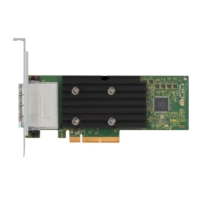
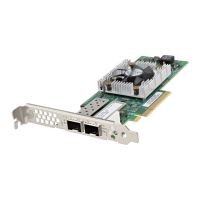
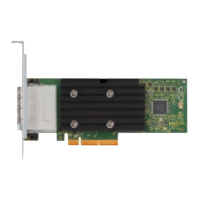
Dell HBA355 e Adapter

Details for the Dell HBA355e Adapter card.

Dell HBA350 i MX

Details for the Dell HBA350i MX adapter.

Dell HBA350 i Adapter

Details for the Dell HBA350i Adapter card.

Technical Specifications

Card specifications for all supported HBA models.

PowerEdge Systems Supported by Dell HBA355 i Adapter

Lists PowerEdge systems compatible with HBA355i Adapter.

PowerEdge Systems Supported by Dell HBA355 i Front

Lists PowerEdge systems compatible with HBA355i Front.

PowerEdge Systems Supported by Dell HBA355 e Adapter

Lists PowerEdge systems compatible with HBA355e Adapter.

PowerEdge Systems Supported by Dell HBA350 i MX

Lists PowerEdge systems compatible with HBA350i MX.

PowerEdge Systems Supported by Dell HBA350 i Adapter

Lists PowerEdge systems compatible with HBA350i Adapter.

Supported Operating Systems

Lists operating systems supported by the HBAs.

MD1400 and MD1420 Enclosure Support

Describes support for MD1400/MD1420 enclosures.

Port Support Matrix for MD1400 and MD1420 Enclosures

Port connectivity for dual-path configurations.

ME484 Enclosure Support

Describes support for ME484 enclosures.

Port Support Matrix for ME484 Enclosure

Port connectivity for ME484 dual-path configurations.

External Tape Drive Support

Support for external tape drives with HBA355e Adapter.

Internal Tape Drive Support

Support for internal tape drives with HBAs.

Applications Supported by Dell HBA355 i Adapter, Dell HBA355 i Front, Dell HBA355 e Adapter, Dell HBA350 i MX, and Dell HBA350 i Adapter

Human Interface Infrastructure Configuration Utility

Manages physical disks via System BIOS.

Dell OpenManage Storage Management

Performs controller and enclosure functions.

Integrated Dell Remote Access Controller and Lifecycle Controller

Monitors network controllers and manages systems.

Command Line Interface

Manages HBA using CLI commands.

Multipath Support on Dell HBA355 e Adapter

Dell HBA Multipathing using HII

How to check multipath status within HII.

Dell HBA Multipathing using Windows

Enabling and configuring MPIO in Windows Server.

Dell HBA Multipathing using iDRAC

Mapping paths using iDRAC 9 storage configuration.

Dell HBA Multipathing using Linux

Configuring multipathing in Linux using commands.

Dell HBA Multipathing using VMware

Using VMware NMP for multipath management.

Features of Dell HBA355 i Adapter, Dell HBA355 i Front, Dell HBA355 e Adapter, Dell HBA350 i MX, and Dell HBA350 i Adapter

Hardware Root of Trust

Authenticates firmware components for secure boot.

Non-RAID Drives

Supports individual disks not combined into RAID volumes.

Event Management Support

Event management via iDRAC and OMSS.

LED Activity

Describes the behavior and status of LEDs on the controllers.

Installation and Removal of Cards

Safety Instructions

Precautions for safe installation and removal procedures.

Before Working Inside Your System

Steps to take before performing internal system work.

Remove Dell HBA355 i Adapter

Procedure to remove the HBA355i Adapter card.

Install Dell HBA355 i Adapter

Procedure to install the HBA355i Adapter card.

Remove Dell HBA355 i Front

Procedure to remove the HBA355i Front card.

Install Dell HBA355 i Front

Procedure to install the HBA355i Front card.

Remove Dell HBA355 e Adapter

Procedure to remove the HBA355e Adapter card.

Install Dell HBA355 e Adapter

Procedure to install the HBA355e Adapter card.

Connect Dell HBA355 e Adapter to Storage Enclosure

Steps to connect the HBA355e Adapter to storage drives.

Remove Dell HBA350 i MX

Procedure to remove the HBA350i MX adapter.

Install Dell HBA350 i MX

Procedure to install the HBA350i MX adapter.

Remove Dell HBA350 i Adapter

Procedure to remove the HBA350i Adapter card.

Install Dell HBA350 i Adapter

Procedure to install the HBA350i Adapter card.

Driver Support for Dell HBA355 i Adapter, Dell HBA355 i Front, Dell HBA355 e Adapter, Dell HBA350 i MX, and Dell HBA350 i Adapter

Creating Device Driver Media

Methods for creating driver installation media.

Download Drivers from Support Site

Steps to download drivers from Dell Support website.

Download Drivers from Service and Diagnostic Tools

Steps to download drivers from Dell diagnostic tools.

Install Drivers During Windows Server 2016+ Installation

Installing drivers during OS installation.

Install Drivers on Existing Windows Server 2016+

Installing drivers on an already installed OS.

Update Drivers on Windows Server 2016+

Updating drivers for existing OS.

Linux Driver Installation

Procedures for installing Linux drivers.

Install or Update RPM Driver Package using KMOD

Installing/updating drivers using RPM with KMOD support.

Install or Update RPM Driver Package using KMP

Installing/updating drivers using RPM with KMP support.

Load Driver During OS Installation

Loading drivers during the OS installation process.

Manage Dell HBA355 i Adapter, Dell HBA355 i Front, Dell HBA355 e Adapter, Dell HBA350 i MX, and Dell HBA350 i Adapter using HII Configuration Utility

Enter HII Configuration Utility

Steps to access the HII configuration utility.

Exit HII Configuration Utility

Steps to exit the HII configuration utility.

Navigate Configuration Utility

How to navigate within the HII utility.

Controller Management

Options for managing controllers within HII.

View Controller Properties

Displays detailed properties of the HBA controller.

Update the Firmware of Dell HBA355 i Adapter, Dell HBA355 i Front, Dell HBA355 e Adapter, Dell HBA350 i MX, and Dell HBA350 i Adapter using DUP

Update Firmware Controller using Dell Update Package (DUP)

Procedure to update firmware using Dell Update Package.

Getting Help

Recycling or End-of-Life Service Information

Information on product disposal and recycling services.

Contacting Dell

How to contact Dell for support and service.

Receiving Automated Support with SupportAssist

Benefits and setup of Dell EMC SupportAssist.

Troubleshooting

Known Issues

Lists known issues and expected behavior with HBAs.

VendorID and ProductID for External Tape Drives

Displays VendorID/ProductID for external tape drives.

VendorID and ProductID for Internal Tape Drives

Displays VendorID/ProductID for internal tape drives.

System Reserved Partition After Windows Installation

Describes unexpected partition creation in Windows.

Device Settings in HII Shows PCIe Slot Information

HII shows additional PCI slot info for HBA355i Front.

Intermittent RSODs with Faulty Drive

RSODs may appear with faulty drives connected to HBA.

Selecting Drive for OS Install in Legacy Mode

How to select boot device in legacy mode for OS installation.

Adapter Configuration Change Message

Message about adapter configuration changes.

Incompatible Firmware Image

Issue with incorrect firmware payload during updates.

Additional Disks in Command Line Interface

Extra 0 KB disks shown in CLI for ME484 enclosure.

Intended Branding Information Not Displayed

Controller branding may display incorrectly in some OS.

Firmware Upgrade or Downgrade Not Supported on Ubuntu

DUP firmware operations are not supported on Ubuntu.

Documentation Resources

Setting Up Your System

Information on installing and securing the system.

Configuring Your System

Details on iDRAC, RACADM, and Redfish configuration.

Managing Your System

Resources for system management software and SupportAssist.

Troubleshooting Your System

Guides for identifying and troubleshooting PowerEdge server issues.

Dell HBA355e Specifications

General IconGeneral
Number of Ports8
Supported ProtocolsSAS, SATA
CompatibilityDell PowerEdge Servers
Form FactorLow Profile
Interface TypePCIe Gen4 x8
Data Transfer Rate12 Gbps per port
Supported DrivesSAS, SATA HDDs and SSDs
RAID SupportNo
Operating System SupportWindows, Linux
Connector TypeMini-SAS HD (SFF-8644)

Related product manuals