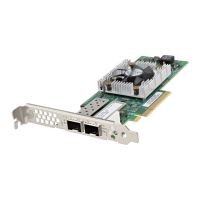
Update the firmware of Dell HBA355i
Adapter, Dell HBA355i Front, Dell HBA355e
Adapter, Dell HBA350i MX, and Dell HBA350i
Adapter using DUP
Topics:
• Update firmware controller using Dell Update Package (DUP)
Update firmware controller using Dell Update Package
(DUP)
Steps
1. Navigate to www.dell.com/support/home.
2. Locate your controller.
3. Download the DUP.
a. For Window/iDRAC update, download Windows executable file.
b. For Linux update, download .bin file.
NOTE: For VMware, firmware should be updated through iDRAC or the PERC CLI utility.
4. Install the DUP.
a. For Windows, run the executable in Windows environment.
b. For Linux, run .bin file in Linux environment.
c. For iDRAC, navigate to system iDRAC > Maintenance > System Update, upload Windows executable, and then install.
8
42 Update the firmware of Dell HBA355i Adapter, Dell HBA355i Front, Dell HBA355e Adapter, Dell HBA350i MX, and Dell
HBA350i Adapter using DUP


 To Next Page