Need help?
Do you have a question about the Dell DA300 and is the answer not in the manual?
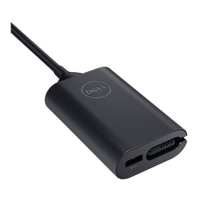
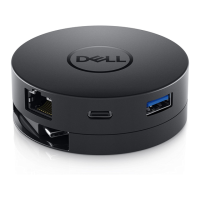
Diagram showing the front view of the mobile adapter with labeled ports and components.
Diagram illustrating the back view of the mobile adapter with labeled ports.
Instructions for connecting displays, networks, and USB devices to the adapter's ports.
Lists the operating systems compatible with the mobile adapter for optimal performance.
Specifies the maximum ambient temperature for safe and effective product operation.
Details the limited hardware warranty and return policies for Dell-branded products.
 General
| Microphone in | No |
|---|---|
| USB 2.0 ports quantity | 0 |
| Connectivity technology | Wired |
| USB 3.2 Gen 2 (3.1 Gen 2) Type-C ports quantity | 1 |
| Ethernet LAN | Yes |
| Ethernet LAN data rates | 10, 100, 1000 Mbit/s |
| Compatibility | - Latitude 5280 - Latitude 5480 - Latitude 5580 - XPS 9365 2-in-1 - Precision 5520 - Latitude 7280 - Precision 3520 - Latitude 7480 - Precision 7520 - Latitude 5289 2-in-1 - Latitude 7285 2-in-1 - Latitude 7380 - Latitude 7389 2-in-1 - Precision 7720 - Inspiron 15 5000 Series (5570) - Latitude 7490 - Latitude 7390 - Latitude 5490 - Latitude 5590 - Latitude 5290 - Latitude 7290 - Inspiron 13 7000 Series (7373) - Inspiron 15 7000 Series (7573) - Inspiron 17 5000 Series (5770) - Inspiron 13 7000 Series (7370) - Inspiron 15 7000 Series (7570) - XPS 13 9370 - Latitude 5290 2 In 1 - Latitude 3490 - Latitude 3390 2 In 1 - Latitude 3590 - Chromebook 5190 - XPS 15 (9575) - XPS 15 (9560) - Vostro 15 (7570) |
| Product color | Black |
| Brand compatibility | Dell |
| Maximum digital resolution | 3840 x 2160 pixels |
| Number of displays supported | 2 |
| USB data transfer rates | 480, 10000 Mbit/s |
| Quantity per pack | 1 pc(s) |
| Power source type | USB |
| Windows operating systems supported | Windows 10, Windows 7, Windows 8, Windows 8.1 |
| Harmonized System (HS) code | 84733020 |
 Weight and Dimensions
| Depth | 69.8 mm |
|---|---|
| Height | 24.5 mm |
| Weight | 80 g |

 To Next Page