Need help?
Do you have a question about the Dell DA310z and is the answer not in the manual?
Describes the ports located on the front of the adapter.
Describes the ports located on the back of the adapter.
Explains how to connect the adapter to your PC without an external power source.
Details using the adapter with external power via a USB-C power adapter or monitor.
Explains the FRS feature for display and Ethernet ports and its dependency on PC support.
Summarizes port types, speeds, and connection functions for displays and peripherals.
Details limited warranty and return policies for different customer regions.
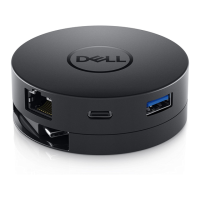
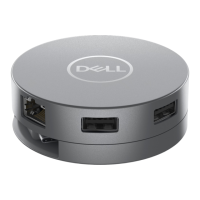
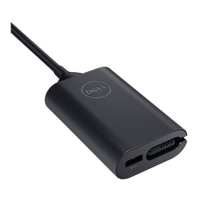
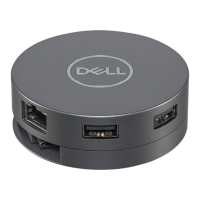
The Dell USB-C Mobile Adapter DA310 is a versatile and compact device designed to expand the connectivity options of your PC, offering a wide range of ports for various peripherals and displays. This user-friendly adapter is ideal for professionals and users who need to connect multiple devices on the go, without the hassle of carrying numerous individual adapters. Its circular, sleek design with a retractable USB-C cable makes it highly portable and easy to store, ensuring a clutter-free workspace or travel bag.
The DA310 serves as a central hub for your PC, converting a single USB-C or Thunderbolt port into a multi-port solution. It provides essential connectivity for external displays, network access, and various USB peripherals. The adapter supports video output through multiple display ports, allowing you to connect to monitors, projectors, or TVs. For network connectivity, it includes an Ethernet port, ensuring a stable and fast wired internet connection where Wi-Fi might be unreliable or unavailable. Additionally, the DA310 features several USB-A and USB-C ports, enabling you to connect a wide array of USB devices such as keyboards, mice, external hard drives, SSDs, and other storage devices.
A key feature of the DA310 is its power delivery pass-through capability. When connected to a compatible USB-C power adapter or a USB-C monitor with power delivery, the adapter can charge your PC while simultaneously providing connectivity to other peripherals. This eliminates the need for a separate charger for your laptop, streamlining your setup and reducing cable clutter. The power delivery feature is particularly useful for laptops with limited USB-C ports, as it allows you to charge and connect peripherals through a single port.
The DA310 is designed to support a single external display at any given time, offering flexibility across HDMI, DisplayPort, VGA, or MFDP USB-C outputs. This ensures compatibility with a broad range of display devices, from modern 4K monitors to older VGA projectors. The adapter intelligently manages video output, allowing you to choose the most suitable port for your display needs.
Furthermore, the DA310 incorporates Fast Role Swap (FRS) functionality on its display and Ethernet ports. This means that if you are using the adapter with a USB-C power adapter or a USB-C monitor with power delivery, and you disconnect the power source, the DA310 will instantly switch its power source to the connected PC without interrupting your display or network connection. This seamless transition ensures uninterrupted workflow, which is crucial for presentations or critical tasks. It's important to note that FRS is only functional if your PC also supports this feature, and it does not apply to the USB data ports.
The DA310 is incredibly easy to use, designed for plug-and-play functionality. To begin, simply hold the bottom section of the adapter with your fingertips and turn the top section to release the integrated USB-C cable. This retractable cable design is a significant convenience, preventing tangles and making the adapter more compact for travel.
Once the cable is extended, connect the USB-C cable of the DA310 to a Thunderbolt port or a USB-C port (DisplayPort Alt Mode) on your PC. The adapter will then be ready to connect your peripherals. You can connect an external display using one of the available video ports (HDMI, DisplayPort, VGA, or MFDP USB-C). For network access, plug an Ethernet (RJ45) cable from your router or broadband modem into the adapter's Ethernet port. Keyboards, mice, and external storage devices can be connected to the USB-A and USB-C data ports.
When using the power delivery pass-through feature, connect a USB-C power adapter or a USB-C monitor with power delivery capabilities to the designated USB-C port on the DA310. This will allow your PC to charge through the adapter while you utilize its other ports. The adapter is designed to reserve a certain amount of power for its own operation, so the actual power delivered to your PC will be slightly less than the input power.
The DA310 is compatible with various operating systems, including Windows, Mac OS, Chrome OS, Ubuntu, and RHEL, making it a versatile solution for a wide range of users and devices. Its ability to support a single display at a time simplifies troubleshooting and ensures optimal performance for the chosen display.
Maintaining the Dell USB-C Mobile Adapter DA310 primarily involves keeping its software and firmware up to date, as well as ensuring proper physical care.
For optimal performance and to resolve potential issues, it is recommended to regularly check for and install the latest BIOS, graphic drivers, and audio drivers for your PC. Similarly, updating the PC's Thunderbolt firmware and driver, if applicable, is crucial for stable operation. The DA310's own firmware should also be updated periodically, which can typically be found on the Dell support website. Ensure the DA310 is connected to your PC during firmware updates.
Physical maintenance is straightforward due to the adapter's durable design. Keep the adapter clean and free from dust and debris, especially around the ports, to ensure reliable connections. The retractable USB-C cable should be handled with care to prevent damage to the cable or the retraction mechanism. Avoid exposing the adapter to extreme temperatures or moisture, as this can affect its functionality and lifespan.
In case of troubleshooting, the manual provides a comprehensive guide to common problems and their solutions. For instance, if video or audio performance issues arise, updating drivers and firmware is often the first step. If no video is displayed on the monitor, checking cable connections and disconnecting/reconnecting peripherals can help. For power-related issues, such as slow charging or "Power Surge" messages, it's advised to disconnect other peripherals, connect higher-power peripherals directly to the PC, or use a higher-rated USB-C power adapter.
The DA310 is designed for reliability and ease of use, making it a low-maintenance accessory. By following the recommended software updates and basic physical care, users can ensure the adapter continues to perform efficiently and extend its operational life. The compact and robust design also minimizes the risk of damage during travel or daily use.
 General
| Brand | Dell |
|---|---|
| Model | DA310z |
| Type | USB-C Adapter |
| Power Delivery | Yes |
| USB-A Port | 2 |
| HDMI Port | 1 |
| VGA Port | Yes |
| Ethernet Port | 1 |
| Audio Port | 1 |
| Compatibility | USB-C devices |
| Cable Length | 120 mm (4.72 in) |

 To Next Page