Back to Contents Page
Setting Up Your Monitor
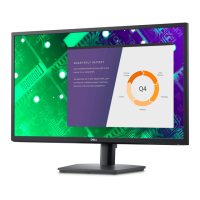
Dell™E2010H/E2210H/E2310H Flat Panel Monitor
Setting the display resolution to1600 x 900 (for E2010H) or 1920 x 1080 (for
E2210H/E2310H) (Maximum)
For optimal display performance while using the Microsoft Windows operating systems, set the display resolution to 1600 x900 (for E2010H) or 1920 x 1080
(for E2210H/E2310H)pixels by performing the following steps:
1. Right-click on the desktop and click Properties.
2. Select the Settings tab.
3. Move the slider-bar to the right by pressing and holding left-mouse button and adjust the screen resolution to 1600 x900 (for E2010H) or 1920 x 1080
(for E2210H/E2310H).
4. Click OK.
Ifyoudonotsee 1600 x900 (for E2010H) or 1920 x 1080 (for E2210H/E2310H) as an option, you may need to update your graphics driver. Please
choose the scenario below that best describes the computer system you are using, and follow the provided directions:
1: IfyouhaveaDell™desktoporaDell™portablecomputerwithinternetaccess.
2: IfyouhaveanonDell™desktop,portablecomputer,orgraphicscard.
Back to Contents Page



 To Next Page