22" LCD Color Monitor Dell E2209Wc
16
available.
Vertical Positi
on
Use the
and buttons to adjust image up and down. Minimum is '0' (-).
Maximum is '100' (+).
NOTE: When using a DVI source, the Vertical Position setting is not
available.
Sharpness
This feature can make the image look sharper or softer. Use
or to
adjust the sharpness from '0' to '100'.
Pixel Clock
The Phase and Pixel Clock adjustments allow you to adjust your monitor to
your preference.
Use the
and buttons to adjust for best image quality.
Phase
If satisfactory results are not obtained using the Phase adjustment, use the
Pixel Clock (coarse) adjustment and then use Phase (fine), again.
Display Reset
Reset the image to the original factory setting.
Exit Menu
Push
to exit the OSD main menu.
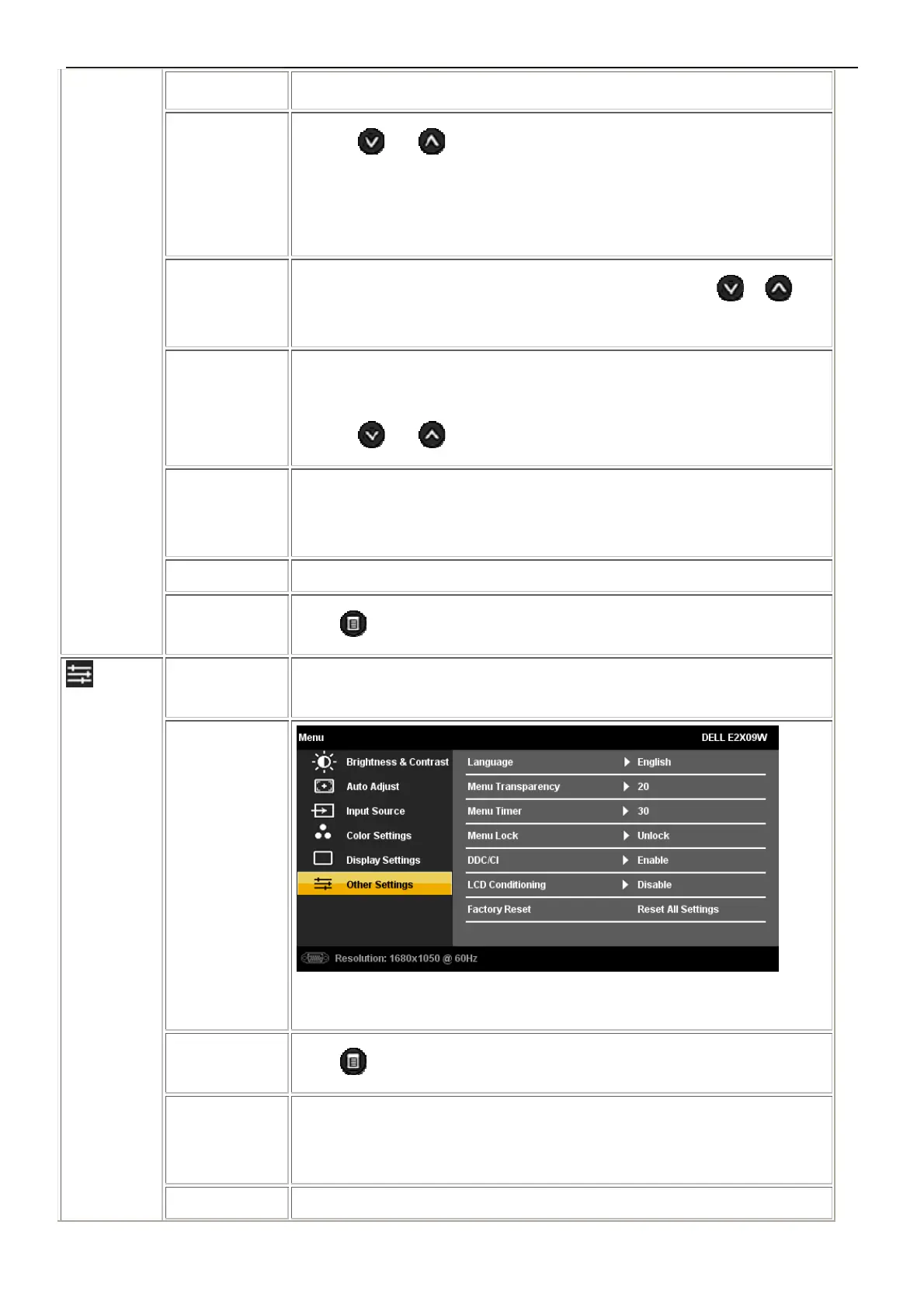
OTHER
SETTINGS
Back
Push
to go back to the main menu.
Language
Language option to set the OSD display to one of seven languages (English,
Espanol, Francais, Deutsch, Brazilian Portuguese, Japanese, or Simplified
Chinese).
Menu
This function is used to change the OSD background from opaque to



 To Next Page