26 Setting Up the Monitor
Organizing Your Cables
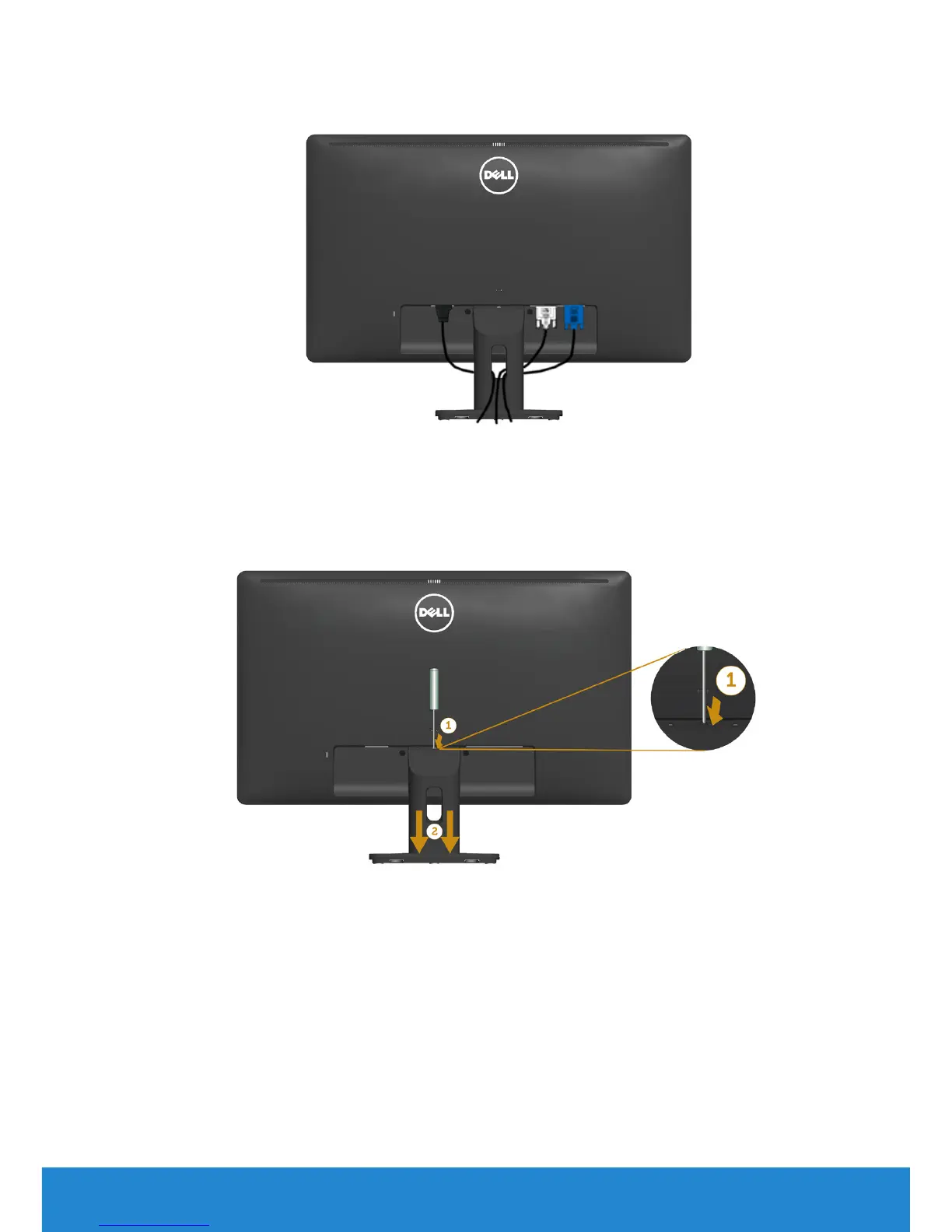
After attaching all necessary cables to your monitor and computer, (See
Connecting Your Monitor for cable attachment), organize all cables as shown
above.
Removing the Monitor Stand
After placing the monitor panel on a soft cloth or cushion, complete the
following steps to remove the base:
1. Use a long screwdriver to push the release latch located in a hole just above
the stand.
2. Once the latch is released, remove the base away from the monitor.



 To Next Page