40 Operating the Monitor
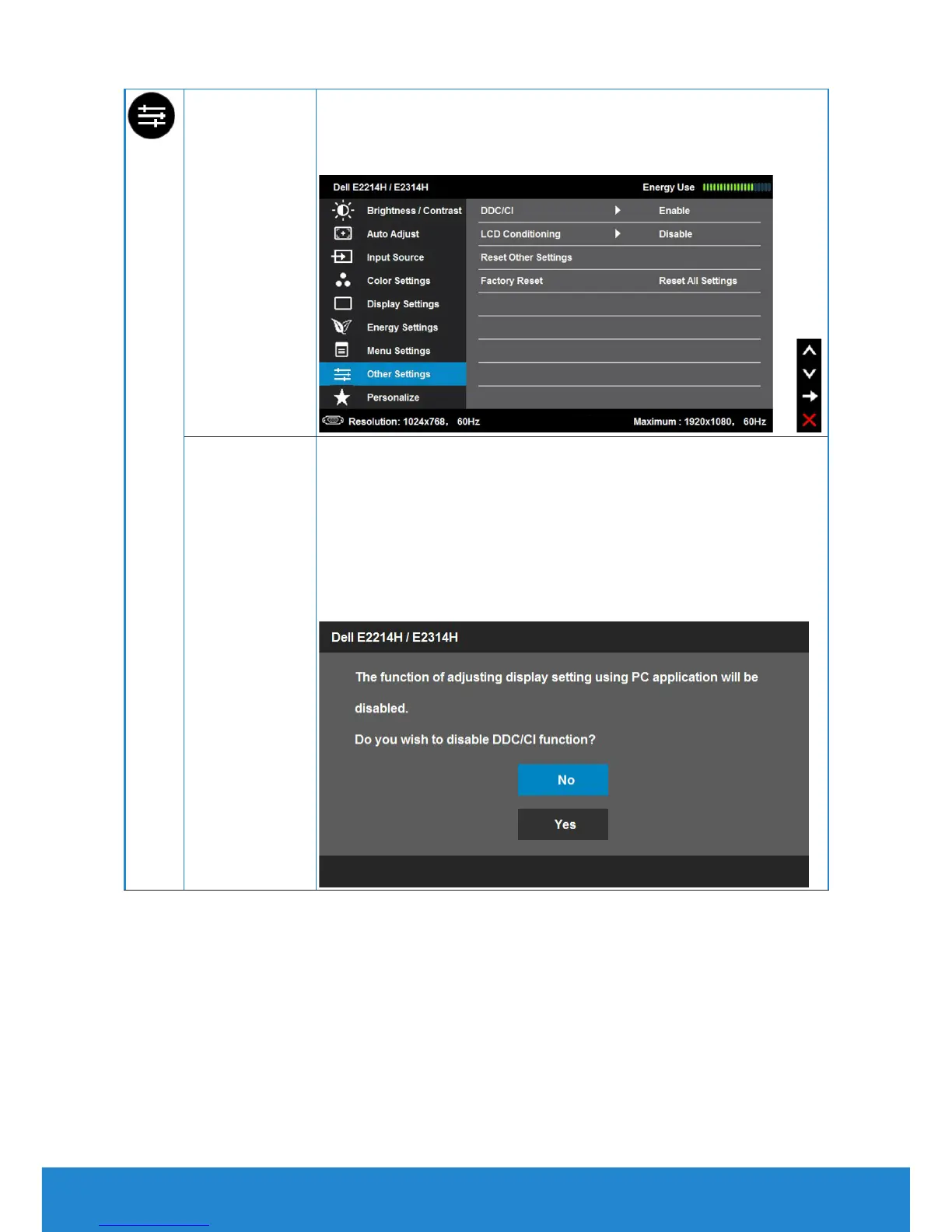
Other Settings Select this option to adjust the settings of the OSD, such as,
the languages of the OSD, the amount of time the menu
remains on screen,and so on.on.
DDC/CI
DDC/CI (Display Data Channel/Command Interface) allows
a software on your computer to adjust the monitor display
settings like the brightness, color balance etc.
Enable (Default): Optimizes the performance of your
monitor and provides a better customer experience.
Disable: Disables the DDC/CI option and the following
message appears on the screen.



 To Next Page