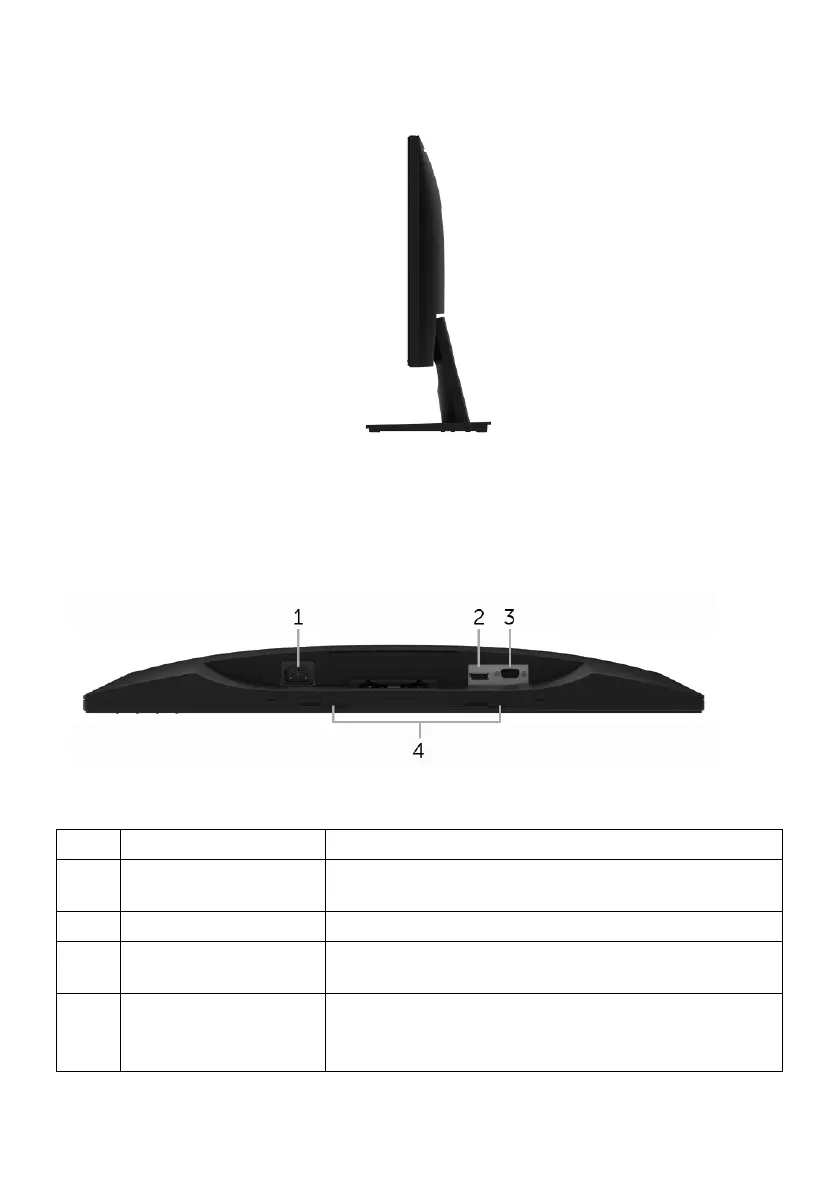
Right Side
10 | About Your Monitor
Side View
Bottom View
Bottom view without monitor stand
Description Use
1 Power cable
conn
ector
Connect the power cable.
2 DisplayPort Connect your computer with DP cable.
3 VGA connector Connect your computer with VGA cable (cable
included, except
North & South America).
4 Dell Soundbar
mo
unting slots
Attaches the optional Dell Soundbar.
NOTE: Please remove the plastic strip covering the
mounting slots before affixing the Dell Soundbar.
Label


 To Next Page