Operating your monitor │ 25
Control buttons Description
5
Power button
(with power-status light)
To turn the monitor On or Off.
Solid white light indicates that the monitor is turned on
and functioning normally. Blinking white light indicates
that the monitor is in Standby Mode.
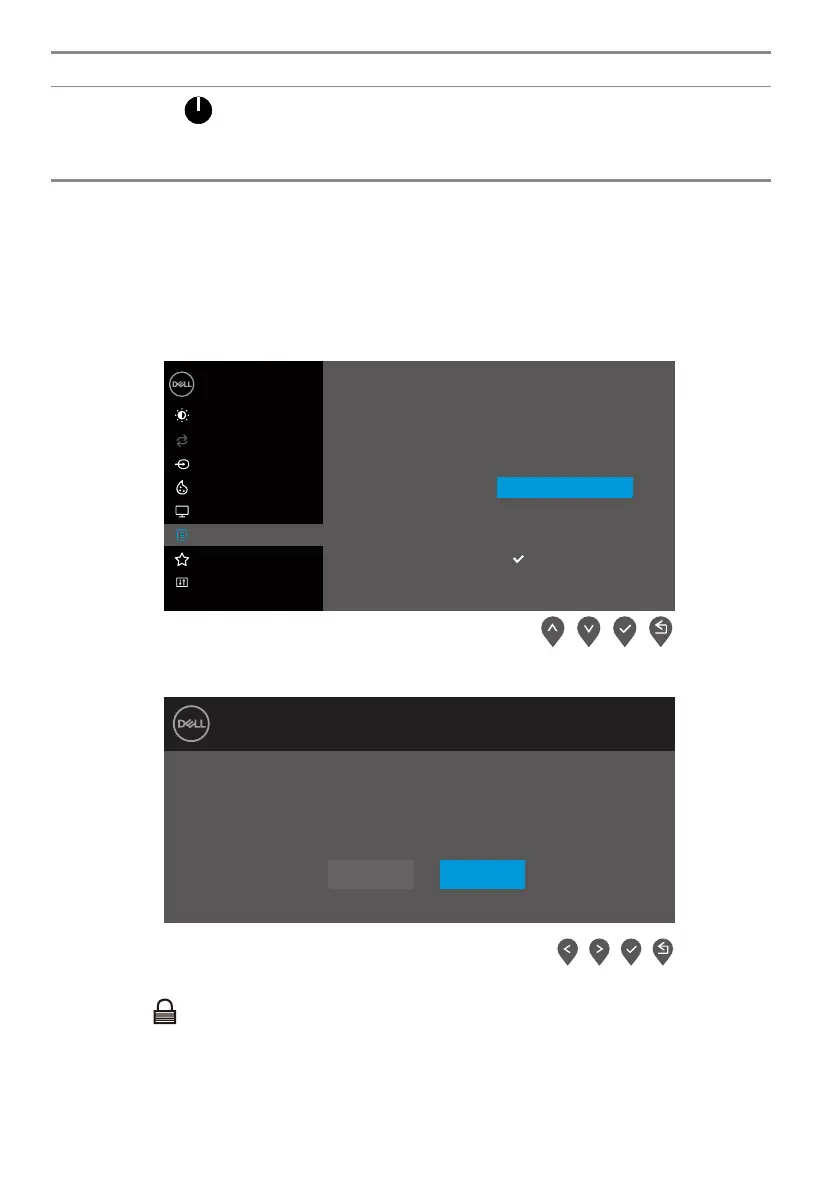
Using the OSD lock function
You can lock the front-panel control buttons to prevent access to the OSD menu and/ or
power button.
Use the Lock menu to lock the button(s).
1. Select one of the following options.
Language
Transparency
Timer
Reset Menu
Brightness / Contrast
Dell 24 Monitor
Input Source
Color
Display
Others
Personalize
Menu
Auto Adjust
Lock
Power Button
Menu + Power Buttons
Disable
Menu Buttons
2. The following message appears.
Dell 24 Monitor
Yes No
E2423H/E2423HN
Are you sure you want to lock the Menu Buttons?
To unlock the Buttons, refer to the User’s Guide.
3. Select Yes to lock the buttons. Once locked, pressing any control button will display the
lock icon .



 To Next Page