34 │ Operating your monitor
Icon Menu and
submenus
Description
Dell 24 Monitor
Brightness / Contrast
Auto Adjust
Input Source
Color
Display
Menu
Personalize
Others
Preset Modes
Input Color Format
Reset Color
YPbPr
RGB
E2423H/E2423HN
*When VGA input is selected.
Reset Color Reset your monitor color settings to the factory settings.
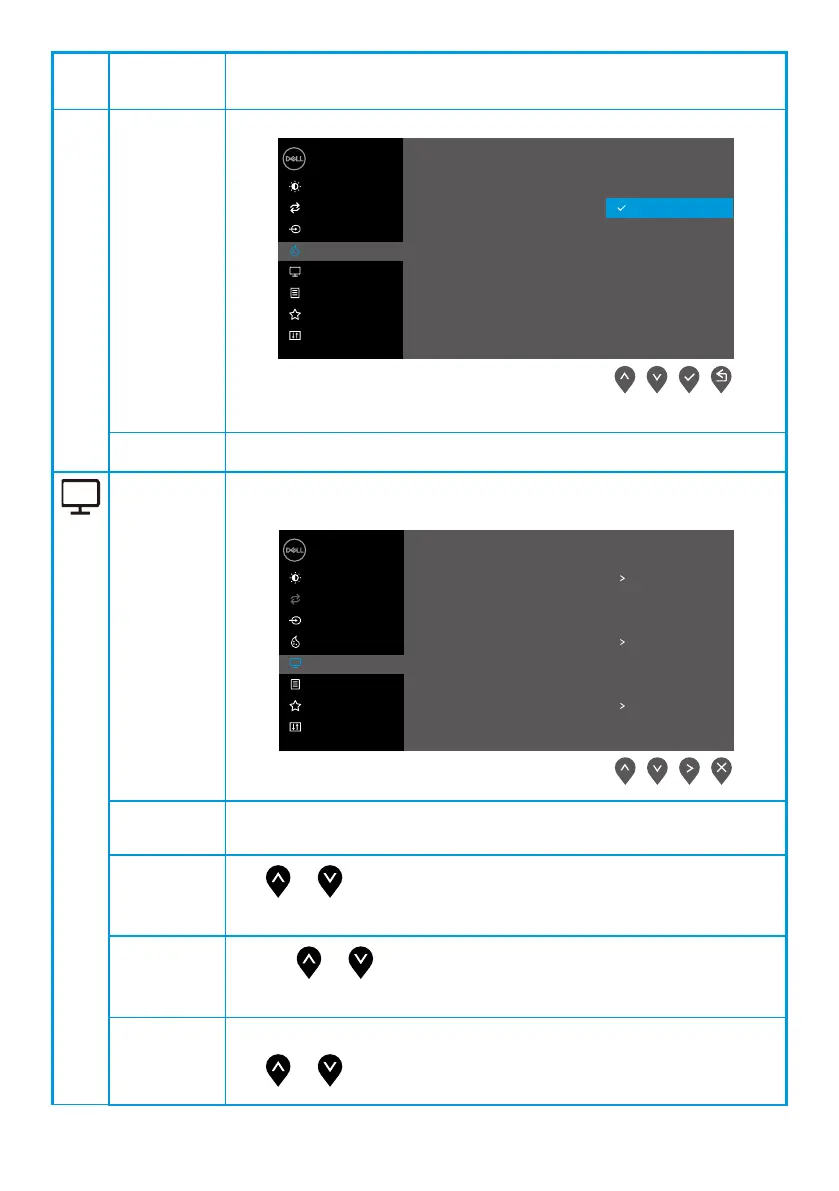
Display Use the display to adjust image.
Dell 24 Monitor
Brightness / Contrast
Auto Adjust
Input Source
Color
Aspect Ratio
Horizontal Position
Vertical Position
Sharpness
Pixel Clock
Phase
Reset Display
Display
Menu
Personalize
Others
16:9
50
E2423H/E2423HN
Response Time
Normal
Aspect
Ratio
Adjust the image ratio to 16:9, 4:3, or 5:4.
Horizontal
Position
(VGA input only)
Use or to move image left and right.
Minimum is '0' (-). Maximum is '100' (+).
Vertical
Position
(VGA input only)
Use the or to move image up and down.
Minimum is '0' (-). Maximum is '100' (+).
Sharpness This feature can make the image look sharper or softer.
Use or to adjust the sharpness from 0 to 100.



 To Next Page