Dell Latitude Ultrabook, E-Family & Mobile Precision Reimage “How-To” Guide
Appendix D
Tables
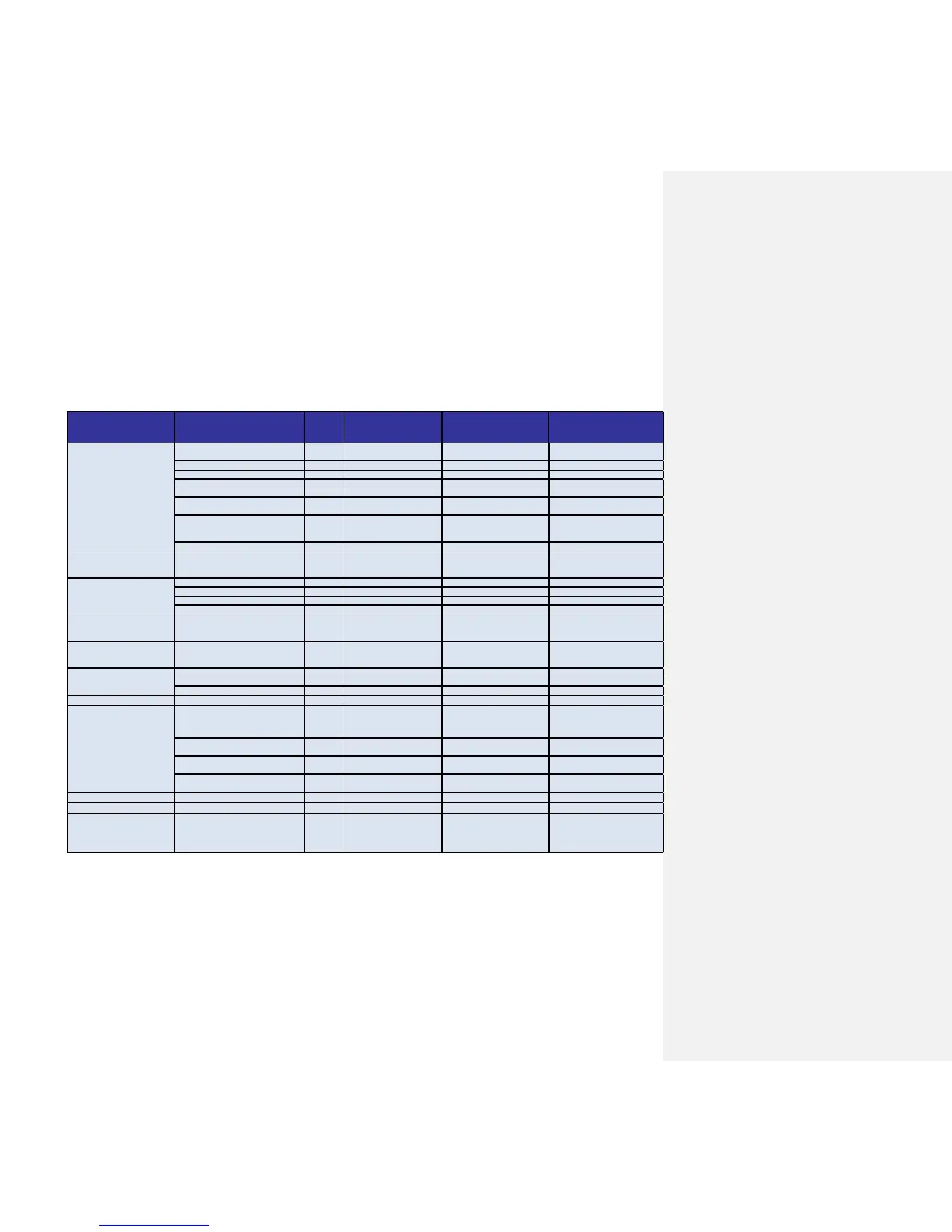
- Control Point System Manager Features - Table B1
Availablity of Feature
when DCP Installed?
Availablity of Feature
when Dell provides
drivers/middleware, but No DCP
A?
Availabilty of Feature
when only Windows OS installed?
user profiles v1.0 Yes N/A
Only power schemes are available in
the OS.
View battery manufacturer info. v1.0 Yes N/A Yes, through BIOS
View battery health info. v1.0 Yes N/A Yes, through BIOS
battery charge enable/disable status v1.0
Yes N/A Yes
Network card power management v1.0
Yes Yes (Intel LOM) No (some Broadcom LOMs)
Extended Battery Life/ All Day Battery Life.
(ADBL)
Dell Enhanced Performance Plans (User
Selectable Thermal Tables for Performance,
temperature and sound levels)
Digidesign Audio/Video mode v1.3 Yes N/A
Yes, thru individual settings in BIOS/OS
Inactivate display and system timeouts when
activating an external display using FnF8.
Fn+F2 to enable Battery Charge disable
v1.0 Yes N/A Yes, but with No screen pop-up display
Fn+F3 launch DCP w/ Battery Status
v1.0 Yes
N/A
No
Fn+F7 to enable/disable DCP v1.0 Yes N/A No
Fn+F8 to switch between display settings v1.0 Yes
N/A Yes, but with No screen pop-up display
User hot key customization ability (also Fn+D
functionality which is set to toggle display by
default).
Keyboard backlighting options (to be able to
set the intensity, inactivity timeout values
and input triggers.)
v1.0
Yes N/A Yes, but with No screen pop-up display
Ability to Adjust Brightness Level v1.0 Yes N/A Yes, but with No screen pop-up display
feedback through on screen display
v1.0 Yes N/A No
Ability to enale/disable ALS v1.0 Yes N/A Yes
ALS
Feedback through on screen display v1.0 Yes N/A No
Reporting of Ambient Temp log information
at OS presence (PWS only)
v1.2 Yes N/A Through BIOS
Reporting of CPU Temp log information at OS
presence (PWS only)
v1.2 Yes N/A Through BIOS
Reporting of SMART Alerts log information at
OS presence (PWS only)
v1.2 Yes N/A Through BIOS
Reporting of ECC Alerts log information at OS
presence (PWS only)
v1.2 Yes N/A Through BIOS
Privacy Screen - Discreet Graphics Fn+E to enable/disable Privacy screen v1.0 Yes N/A No
Privacy Screen - UMA Graphics Fn+E to enable/disable Privacy screen v1.2.01 Yes N/A No
"Color Space" Panel Settings for
RGB LED Displays (17" only)
Provides system level controls for NTSC,
sRGB, Pro Photo RGB/Kodak or Adobe color
settings (certain panels only)
Hardware Monitoring for Desktops














 To Next Page