295Troubleshooting
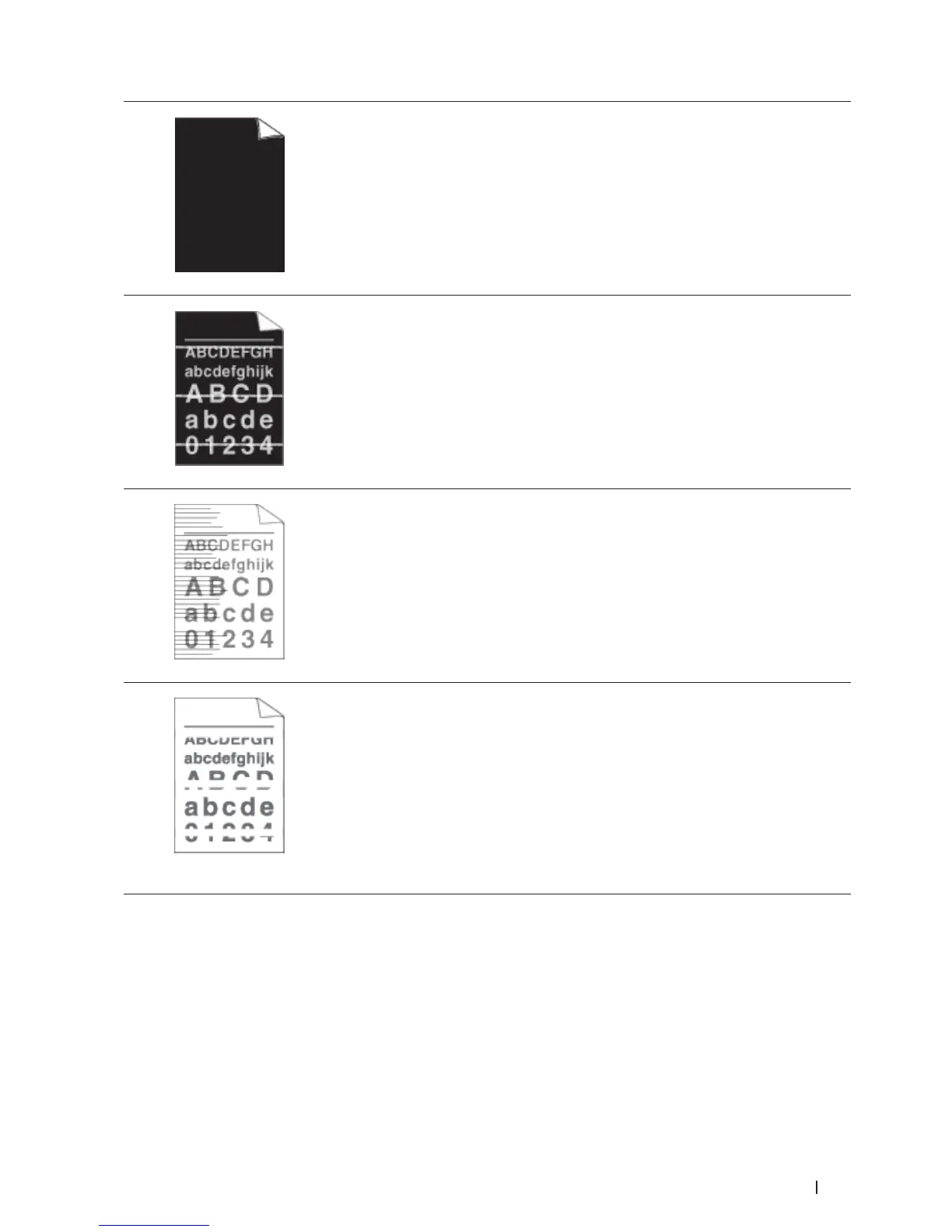
All black
• Clean the corona wire inside the drum unit by sliding the tab. Make sure you
return the tab to the home position (p).
• The drum unit may be damaged.
Replace the drum unit with a new drum unit.
White lines across the page
• Select the appropriate media type in the printer driver.
• The problem may disappear by itself. Print multiple blank pages to clear this
problem, especially if the machine has not been used for a long time.
• Clean the drum unit.
• The drum unit may be damaged.
Replace the drum unit with a new drum unit.
Lines across the page
• Clean the corona wire inside the drum unit.
• Clean the drum unit.
• The drum unit may be damaged.
Replace the drum unit with a new drum unit.
White lines, bands or ribbing
across the page
• Check the machine's environment. Conditions such as high humidity and high
temperatures may cause this print quality problem.
• Clean the drum unit.
• If the problem is not solved after printing a few pages, replace the drum unit with a
new drum unit.










 To Next Page