Hardware Owner's Manual
2 Maintaining Drives
Interpreting Drive LEDs
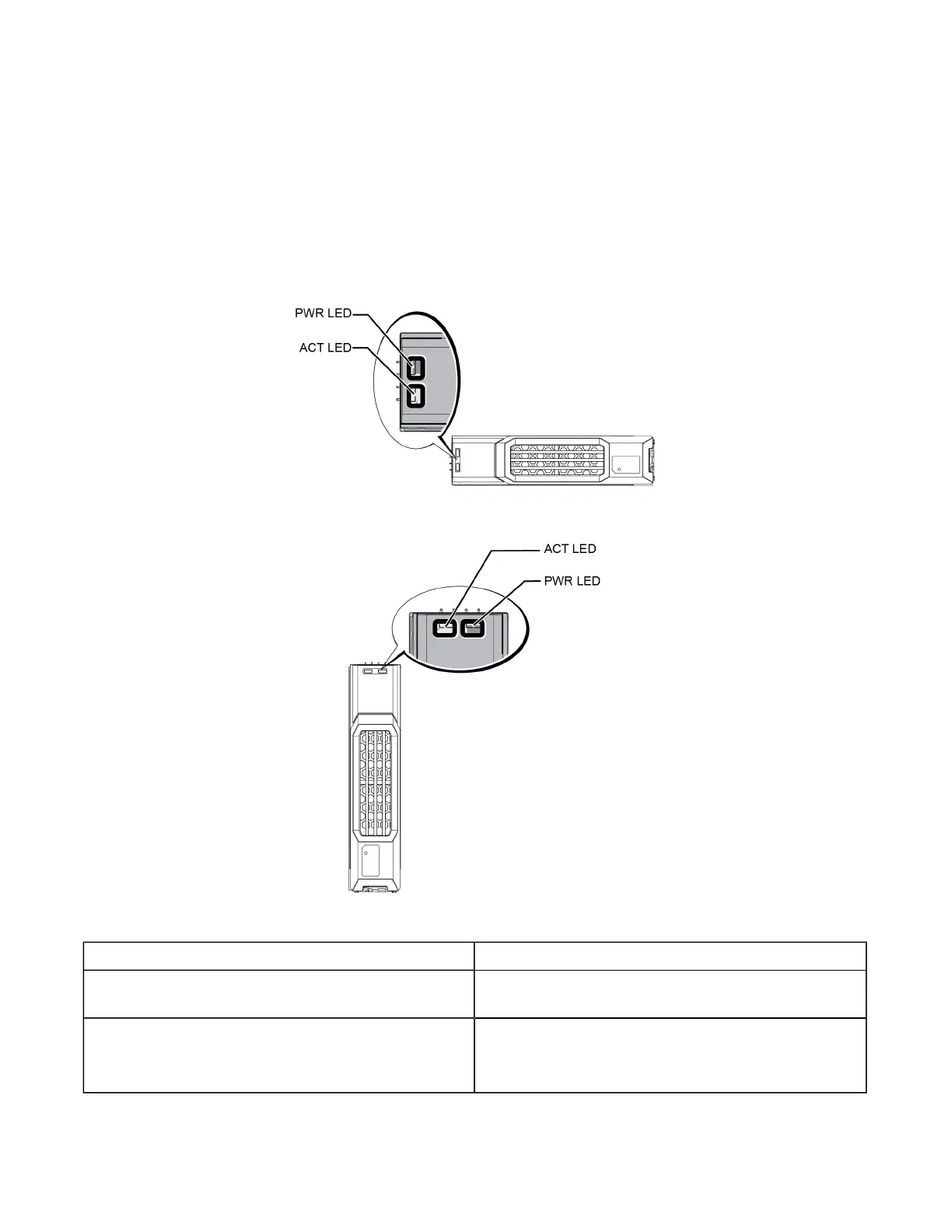
The LEDs on a 3.5-inch drive are shown in Figure 6. The LEDs on a 2.5-inch drive are shown in Figure 7. Drive
LED states are described in Table 4.
Figure 6: LEDs on 3.5-inch Drives
Figure 7: LEDs on 2.5-inch Drives
Table 4: Drive LED States
Description Indicator States
Drive activity indicator (ACT LED)
Blinking green: Drive is busy
Steady green: No drive activity
Drive status indicator (PWR LED)
Green: Drive OK
Amber: Drive failed
Off: No power to drive
8




 To Next Page