Hardware Owner's Manual 2 Maintaining Drives
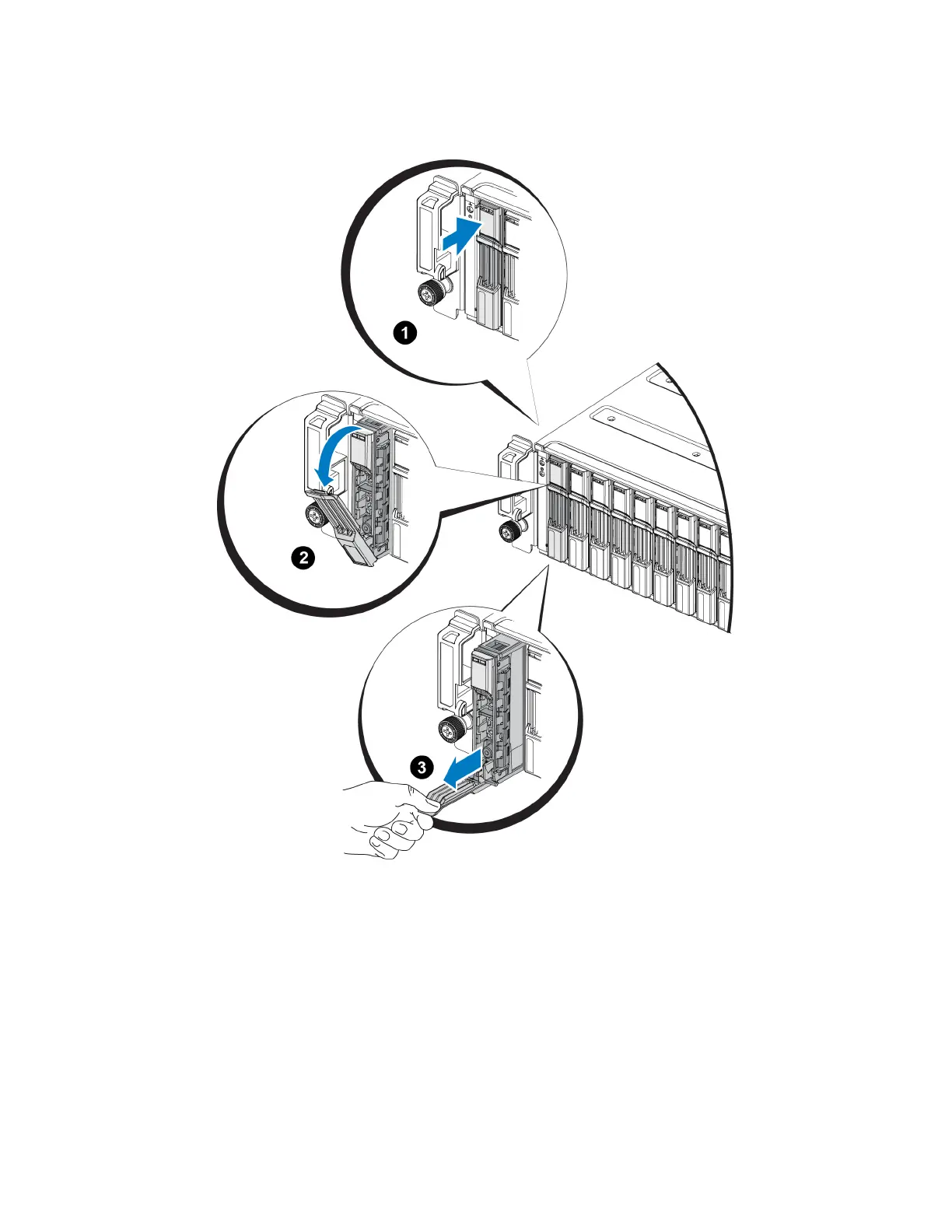
Figure 8: Removing a 2.5-Inch Drive
Installing a 2.5-inch Drive
The 2.5-inch drives are installed vertically, with the drive release latch on the top and the drive label on the
bottom.
1. Wear electrostatic protection when handling a drive. See "Protecting Hardware " on page 2.
2. Open the drive release latch.
3. Hold the drive by the carrier and slide the drive most of the way into a slot (callout 1 in Figure 9).
11




 To Next Page