Operating the monitor | 41
Icon Menu and
Submenus
Description
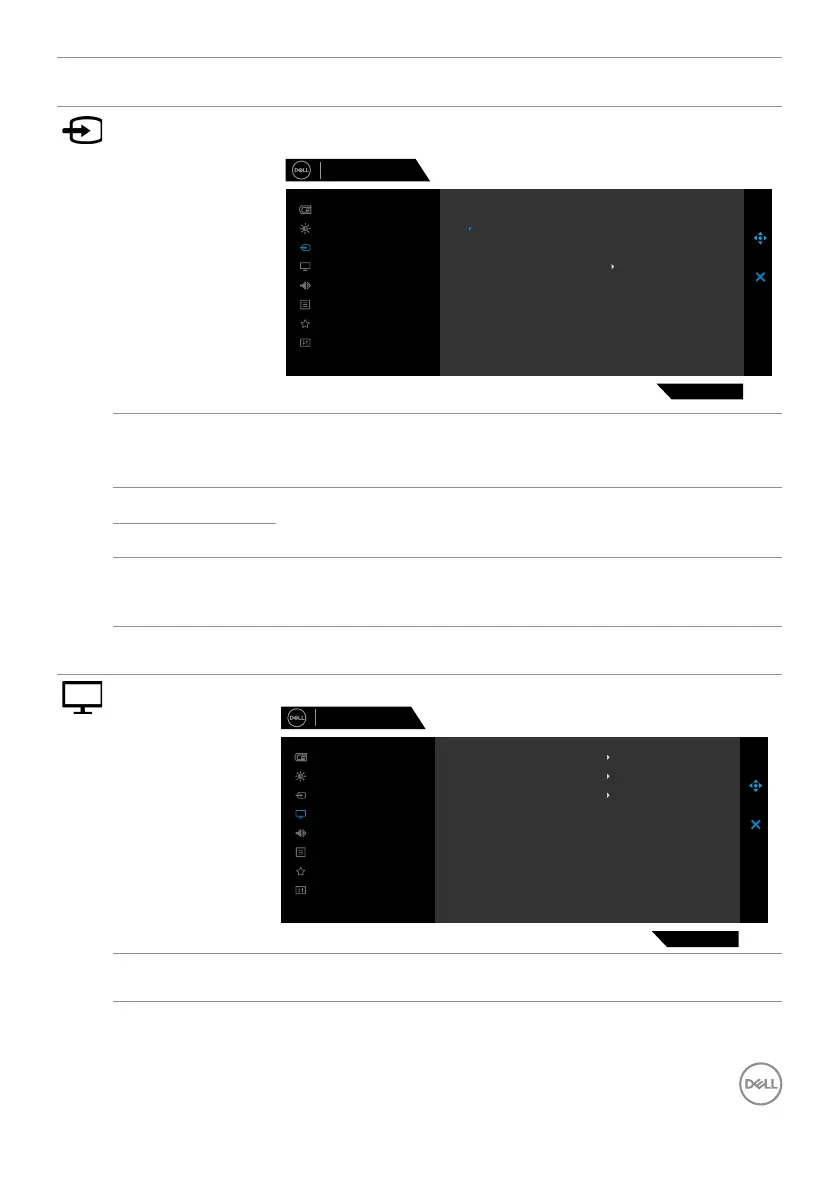
Input Source Switch between the dierent video signals that may be
connected to your monitor.
Dell 27 Gaming Monitor
G2722HS
Menu
Personalize
Others
Brightness/Contrast
Game
Display
Input Source
Audio
HDMI 1
DP
Auto Select
HDMI 2
Reset Input Source
On
DP Select DP input when you are using the DP (DisplayPort)
connector.
Press the joystick button to confirm the selection.
HDMI 1 Select the HDMI 1 or HDMI 2 input when you are using
the HDMI connector. Press the joystick button to confirm
the selection.
HDMI 2
Auto Select Turn on the function to allow the monitor to automatically
scan for available input sources. Press the joystick button
to confirm the selection.
Reset Input
Source
Resets your monitor’s Input Source settings to the
factory defaults.
Display Use the Display menu to adjust image.
Dell 27 Gaming Monitor
G2722HS
Menu
Personalize
Others
Brightness/Contrast
Game
Display
Input Source
Audio
Input Color Format
Aspect Ratio
Reset Display
Sharpness
50
RGB
16:9
Aspect Ratio Adjust the ratio of width to height of an image to 16:9, 4:3,
or 5:4.



 To Next Page