EasyManua.ls Logo

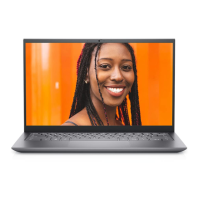
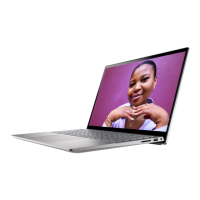
Dell Inspiron 14 5409 - User Manual

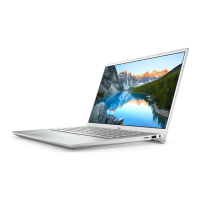
Dell Inspiron 14 5409
89 pages
Print Icon
To Next Page IconTo Next Page
Loading...
Inspiron 14 5409
Service Manual
Regulatory Model: P130G
Regulatory Type: P130G002
January 2021
Rev. A01

Table of Contents

Other manuals for Dell Inspiron 14 5409

Questions and Answers

  • M
    Mark ReynoldsAug 11, 2025
    Why is my Dell Inspiron 14 5409 Laptop not powering on and the battery light is amber?
    • S
      Sonya JohnstonAug 12, 2025
      If the battery status light on your Dell Laptop illuminates in amber, it indicates a failure with the system board. The suggested solution is to replace the system board.
  • B
    Brent CampbellAug 18, 2025
    How to fix WiFi connectivity issues on my Dell Inspiron 14 5409?
    • J
      Jonathon MaldonadoAug 18, 2025
      To resolve internet access issues on your Dell Laptop due to WiFi connectivity problems, perform a WiFi power cycle. Turn off your computer, modem, and wireless router. Then, turn them back on in the same sequence.
  • L
    Lisa NewmanAug 25, 2025
    What to do if Dell Inspiron 14 5409 Laptop battery is swollen?
    • G
      Gregory AguilarAug 25, 2025
      If you notice that your Dell Laptop's lithium-ion battery is swollen, you should immediately discontinue using the laptop. Then, discharge the battery by disconnecting the AC adapter and allowing the battery to drain completely. Replace the swollen battery and ensure it is disposed of properly. You may also contact Dell product support to explore options for replacing the swollen battery under your warranty or service contract.
  • S
    Sarah OwensAug 29, 2025
    What does Battery LED error code 2,8 mean on my Dell Inspiron 14 5409?
    • W
      William MillerAug 29, 2025
      When the battery LED on your Dell Laptop blinks amber twice, followed by eight blinks, this indicates a problem with the system board. Perform L-BIST to check if the system board is supplying power to the LCD.
  • W
    wcabreraSep 4, 2025
    What to do if the LCD is not displaying correctly on my Dell Inspiron 14 5409?
    • A
      alexander03Sep 4, 2025
      If the LCD on your Dell Laptop is not displaying correctly, run the LCD-BIST. This will show a solid color or cycle through different colors.

Dell Inspiron 14 5409 Specifications

General IconGeneral
GraphicsIntel Iris Xe Graphics
Operating SystemWindows 10 Home
ProcessorIntel Core i5-1135G7
RAM8GB DDR4
Storage512GB SSD
Display14-inch FHD (1920 x 1080)
Battery3-cell 42Whr
PortsHDMI
WirelessWi-Fi 6 (802.11ax), Bluetooth 5.1

Related product manuals