EasyManua.ls Logo

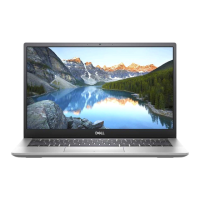
Dell Inspiron 5301 - User Manual

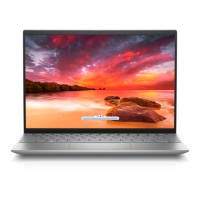
Dell Inspiron 5301
70 pages
Print Icon
To Next Page IconTo Next Page
Loading...
Inspiron 5301
Service Manual
Regulatory Model: P121G
Regulatory Type: P121G002
August 2021
Rev. A01

Table of Contents

Other manuals for Dell Inspiron 5301

Questions and Answers

  • W
    wtrevinoJul 29, 2025
    What to do if I notice swollen Lithium-ion batteries in my Dell Laptop?
    • U
      ucampbellJul 29, 2025
      If you notice a swollen battery in your Dell Laptop, immediately stop using the laptop. Disconnect the AC adapter and allow the battery to fully discharge. Then, get in touch with Dell product support to explore options for replacing the battery under your warranty or service contract.
  • R
    reidmargaretAug 12, 2025
    How to perform a flea power release on a Dell Laptop?
    • A
      Anne CarrilloAug 12, 2025
      To release flea power from your Dell Laptop, press and hold the power button for 15 seconds.

Dell Inspiron 5301 Specifications

General IconGeneral
Operating SystemWindows 10 Home
Battery4-Cell Battery, 53WHr (Integrated)
Processor11th Gen Intel Core i3/i5/i7
Display13.3-inch FHD (1920 x 1080)
RAMUp to 16GB DDR4
StorageUp to 1TB SSD
GraphicsIntel Iris Xe Graphics
WirelessWi-Fi 6, Bluetooth 5.1
PortsHDMI 1.4, microSD card reader, headphone/microphone combo jack

Related product manuals