
 Need help?
Do you have a question about the Dell Inspiron 5406 and is the answer not in the manual?
Overview of ports and slots on the right side, including SD-card, USB, and headset ports.
Overview of ports and slots on the left side, including power, HDMI, and USB-C/DisplayPort.
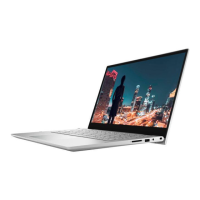
The Dell Inspiron 5406 2-in-1 is a versatile computing device designed for both productivity and entertainment, offering a flexible form factor that adapts to various usage scenarios. This device functions as both a traditional laptop and a tablet, allowing users to switch between modes depending on their needs. Its design emphasizes ease of use and adaptability, making it suitable for a wide range of tasks from professional work to casual browsing and media consumption.
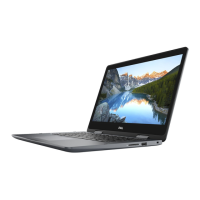
One of the primary usage features of the Inspiron 5406 2-in-1 is its convertible design. The hinge allows the display to rotate 360 degrees, enabling four distinct modes: laptop, tent, stand, and tablet. In laptop mode, it functions as a conventional notebook, ideal for typing documents, working on spreadsheets, or engaging in other keyboard-intensive tasks. The integrated keyboard provides a familiar input method, while the touchpad offers precise cursor control. When the display is rotated beyond 180 degrees, the device can be placed in tent mode, which is excellent for watching videos or giving presentations in a confined space, as it minimizes the footprint. Stand mode, similar to tent mode, positions the screen upright without the keyboard being in the way, making it suitable for touch-based interactions or viewing content. Finally, in tablet mode, the keyboard is folded completely behind the display, transforming the device into a large tablet perfect for drawing, note-taking with a stylus (if supported), or casual browsing. This flexibility ensures that the Inspiron 5406 2-in-1 can seamlessly transition between different environments and tasks, from a desk to a couch, or from a meeting to a creative session.
The device incorporates several ports and slots to enhance its connectivity and expandability. On the right side, it features an SD-card slot, allowing for easy transfer of photos and other media from cameras or other devices. A USB 3.2 Gen 1 port provides high-speed data transfer for external storage, printers, or other peripherals. A headset port combines audio output and microphone input, accommodating standard headphones or headsets for communication and entertainment. Additionally, a security-cable slot (wedge-shaped) is present, enabling users to secure the device physically, which is particularly useful in public or shared environments to deter theft.
On the left side, the Inspiron 5406 2-in-1 includes a power-adapter port for charging the device. A power and battery-status light provides visual feedback on the charging status and battery level, indicating whether the battery is charging, low, or fully charged. An HDMI port allows the device to connect to external displays, such as TVs or monitors, for extended screen real estate or presentations, supporting both video and audio output. Another USB 3.2 Gen 1 port is available, further expanding the options for connecting peripherals. A USB 3.2 Gen 2 (Type-C) port, which also supports DisplayPort functionality, offers even faster data transfer speeds and the ability to connect to compatible displays or docking stations with a single cable, providing modern connectivity options.
The user experience is further enhanced by pre-installed Dell applications designed to assist with setup, maintenance, and overall device management. During the initial Windows setup, users are guided through connecting to a network, signing in with a Microsoft account, and entering contact details for support. The device comes with "My Dell," a centralized hub for Dell applications, help articles, and important information, including warranty status, recommended accessories, and software updates. This application simplifies access to essential resources and keeps users informed about their device.
For maintenance and troubleshooting, the Inspiron 5406 2-in-1 leverages "SupportAssist." This tool proactively checks the health of the computer's hardware and software and includes the SupportAssist OS Recovery tool to address operating system issues. It provides a convenient way to monitor the device's performance and resolve common problems, with additional documentation available online. Users can also check their warranty expiry date and renew or upgrade it directly through SupportAssist.
"Dell Update" is another crucial maintenance feature, ensuring that the device remains current with critical fixes and the latest device drivers. This application automates the process of finding and installing necessary updates, contributing to the device's stability, security, and performance over time. By keeping drivers and software up-to-date, Dell Update helps prevent compatibility issues and enhances the overall user experience.
Finally, "Dell Digital Delivery" facilitates the download of software applications that were purchased but not pre-installed on the computer. This feature streamlines the process of acquiring and installing licensed software, ensuring that users have access to their purchased applications without manual installation from physical media. These integrated Dell applications collectively contribute to a comprehensive support and maintenance ecosystem, making the Inspiron 5406 2-in-1 user-friendly from initial setup through ongoing use and maintenance. The privacy shutter, mentioned in the table of contents, suggests an additional feature for user privacy, allowing the webcam to be physically blocked when not in use, adding a layer of security and peace of mind.
 General
| Graphics | Intel Iris Xe Graphics |
|---|---|
| Display | 14-inch FHD (1920 x 1080) |
| RAM | 8GB DDR4 |
| Storage | Up to 1TB M.2 PCIe NVMe SSD |
| Operating System | Windows 10 Home |
| Ports | 2 x USB 3.2 Gen 1 Type-A, 1 x USB 3.2 Gen 1 Type-C, HDMI 1.4, SD card reader, Audio jack |
| Wireless | Bluetooth 5.1 |
| Webcam | 720p HD Camera |
| Processor | 11th Generation Intel Core i5-1135G7 |

 To Next Page