Replacing the Display Inverter
Before working inside your computer, read the safety information that shipped with your computer. For additional safety best practices information, see the
Regulatory Compliance Homepage at: www.dell.com/regulatory_compliance.
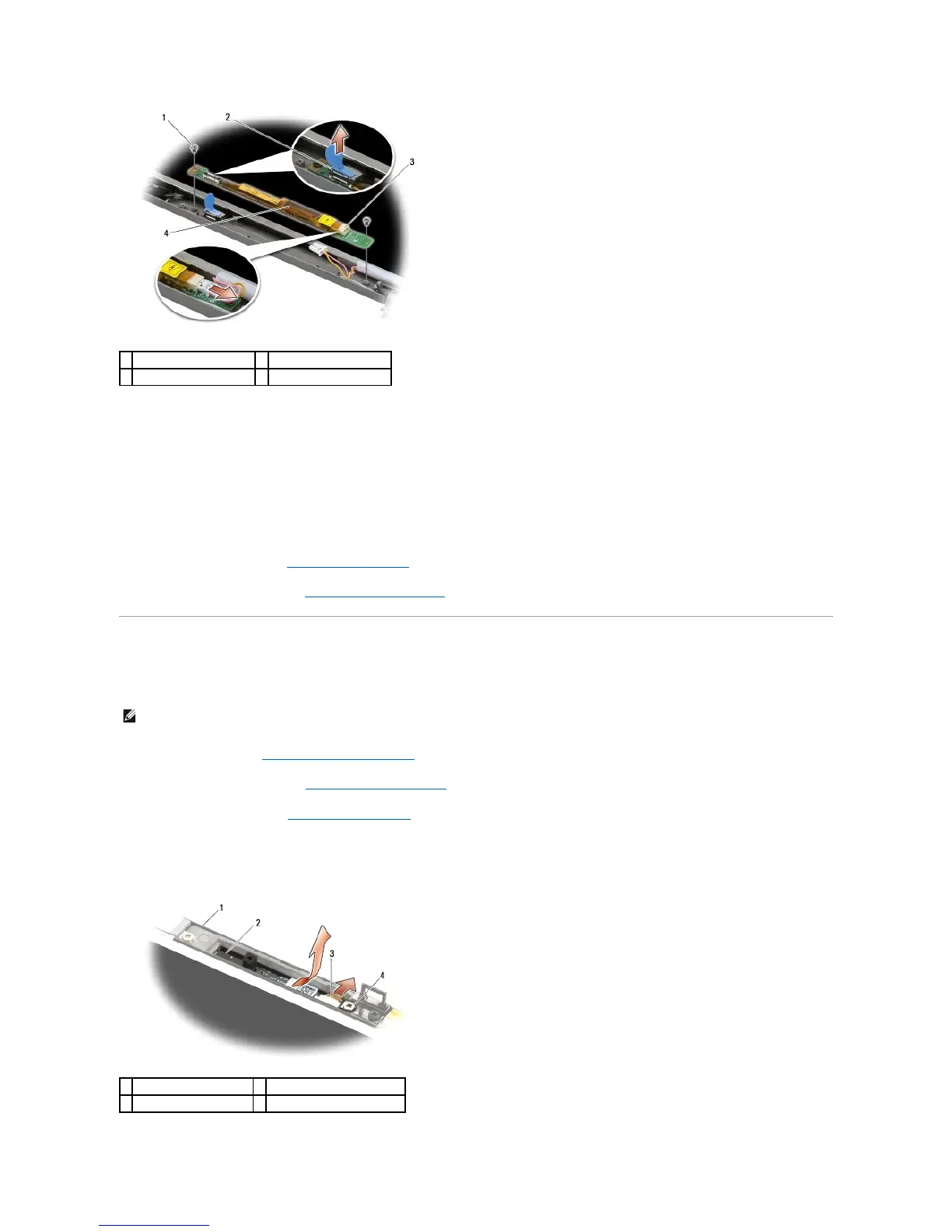
1. Connect the two display inverter connectors to the display inverter.
2. Replace the two M2 x 3-mm screws securing the display inverter.
3. Replace the display bezel (see Replacing the Display Bezel).
4. Replace the display assembly (see Replacing the Display Assembly).
Removing the Camera and Microphone Assembly
Before working inside your computer, read the safety information that shipped with your computer. For additional safety best practices information, see the
Regulatory Compliance Homepage at: www.dell.com/regulatory_compliance.
1. Follow the instructions in Before Working on Your Computer.
2. Remove the display assembly (see Removing the Display Assembly).
3. Remove the display bezel (see Removing the Display Bezel).
4. Lift the connector lever on the camera/microphone cable.
5. Loosen the M2 x 3-mm captive screw, lift the camera/microphone assembly up at an angle and disconnect the camera/microphone cable.










 To Next Page