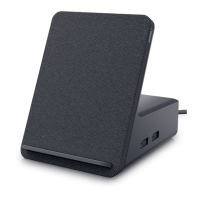
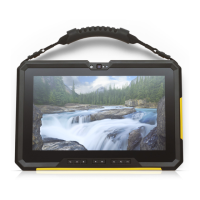
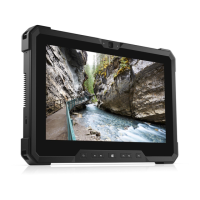
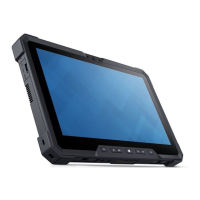
The Dell Mobile Battery Charger for Latitude 7230 Rugged Extreme Tablet (Regulatory Model: CHRG01M18) is a dedicated accessory designed to charge batteries for the Dell Latitude 7230 Rugged Extreme Tablet, and optionally, other devices via a USB power output port. This user's guide provides essential information for setting up, using, and troubleshooting the charger.
Function Description:
The primary function of this device is to charge up to two tablet batteries simultaneously. It features two battery compartments, each with its own LED indicator to display charging status. The charger is designed to be powered by either a 4.5 mm DC-in power adapter or a USB Type-C power adapter. Additionally, it includes a 10 W USB power-output port, allowing users to charge another device, such as a smartphone or tablet, concurrently. The charger is designed to be wall-mountable for convenient placement and organization.
Important Technical Specifications:
- Battery Compartments: Two slots for Latitude 7230 Rugged Extreme Tablet batteries.
- Power Input (DC-in): Compatible with 45 W or 65 W power adapters.
- Power Input (USB Type-C): Compatible with 45 W, 65 W, or 90 W power adapters.
- USB Power Output: 10 W USB power-output port for charging external devices.
- Charging Time: Up to two hours per battery, depending on its power level.
- Mounting: Designed for wall mounting using four M4x20 screws (included).
- Dimensions (Wall Mount): 101.60 mm width, 103.20 mm height.
- Regulatory Model: CHRG01M18.
- Supported Tablet Model: Latitude 7230.
Usage Features:
- Dual Battery Charging: The charger can accommodate and charge two tablet batteries. When two batteries are inserted, the battery in the front compartment (closest to the Dell logo) charges first, followed by the battery in the rear compartment once the front one is fully charged.
- Flexible Power Input: Users can choose between a traditional 4.5 mm DC-in power adapter or a more modern USB Type-C power adapter, offering versatility based on available power sources.
- Auxiliary Device Charging: The integrated 10 W USB power-output port allows for convenient charging of other USB-powered devices, reducing the need for multiple power adapters.
- LED Indicators: Each battery compartment has a dual-colored (green and amber) LED indicator that provides clear visual feedback on the charging status and any potential errors.
- Off: No battery inserted or battery fully charged.
- Solid Green: Battery is charging.
- Solid Amber: Battery is at a very low power level.
- Alternating Amber and Green Flashes: Unsupported (non-Dell) battery inserted.
- Flashing Amber (4x) then a Single Green Flash: Fatal battery failure.
- Easy Battery Insertion: Batteries are inserted with their contacts facing down and slide in until they click into place.
- Wall-Mountable Design: The charger comes pre-installed on a wall mount, allowing for secure and space-saving installation. The mount can also be removed if needed by unscrewing an M2x5 screw from the rear.
Maintenance Features:
- Troubleshooting Guide: The user's guide includes a troubleshooting section to address common issues such as batteries not charging or abnormal LED behavior.
- Battery Re-insertion: A common solution for charging issues is to remove and re-insert the battery, ensuring proper contact.
- Power Adapter Check: Users are advised to ensure the power adapter is properly plugged into a power source if charging issues occur.
- Foreign Substance Check: It is recommended to check for and remove any foreign substances within the battery slots that might impede charging.
- Battery Slot Cleaning: Regular cleaning of the battery slots is suggested to maintain optimal charging performance.
- Warranty Information: Dell-branded products, including this charger, typically carry a one-year limited hardware warranty. If purchased with a Dell computer, its warranty will align with the computer's warranty.
- Safety Information: The manual emphasizes reading safety information shipped with the charger and tablet before use, and refers to www.dell.com/regulatory_compliance for additional best practices.
- Compatibility Note: The charger is specifically designed for batteries from selected Dell tablets. Users are directed to www.dell.com for a list of supported devices.


 To Next Page

 General