5
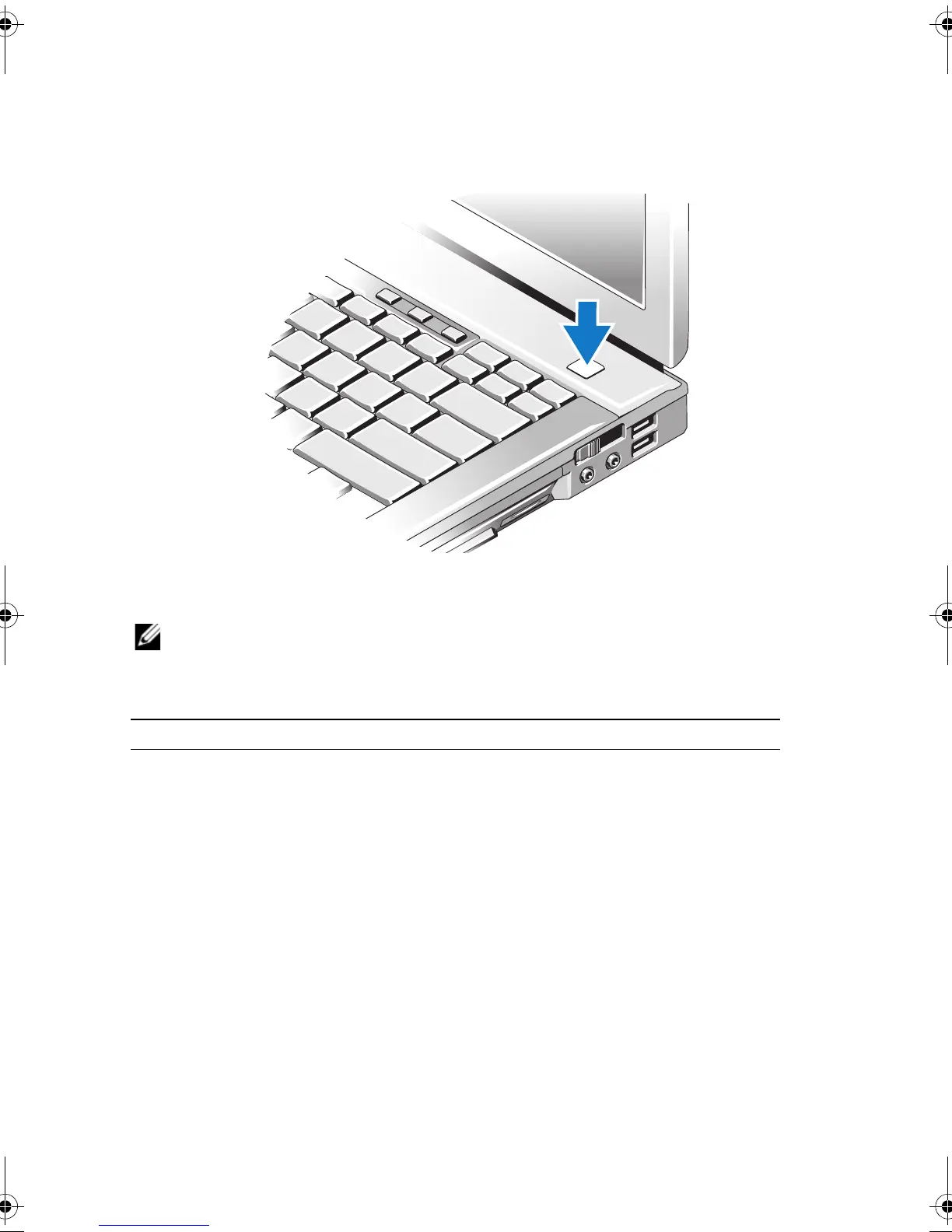
Open the computer display and press the power button to turn on the computer.
Specifications
NOTE: Offerings may vary by region. For more information regarding the configuration of your
computer, click Start→ Help and Support and select the option to view information about your
computer.
Video
NOTE: Your Dell™ computer has both integrated and discrete video options.
Video type: integrated and discrete on system board, hardware
accelerated
Data bus integrated video or PCI-Express video x16
Video controller integrated video: Intel
®
GMA 4500 MHD
discrete video: nVIDIA Quadro NVS 160M
Video memory integrated video:
up to 1 GB (with 2 GB or more system
memory—Microsoft
®
Windows
®
XP)
up to 1.7 GB (with 4 GB or more system
memory—Windows Vista
®
)
discrete video: 256 MB dedicated memory
Nu031am2.fm Page 13 Tuesday, October 7, 2008 12:36 PM


 To Next Page