7
Click
Stop
.
8
Type a name in the
Description
field.
9
Click
OK
. The macro is recorded and displayed in the Macro section.
Example: Invoking the Delete Browsing History dialog box in Internet Explorer
1
Select the following:
•
Application Profile
: Internet Explorer
•
Control
: Button 1
•
Operation
: Key Macro
2
Perform steps 4 and 5, press <CTRL> + <SHIFT> + <DEL>.
3
Perform steps 7 through 9. The macro is defined.
Configuring A Mouse Macro
1
On the
Jog Shuttle
tab, select the application from the
Application Profile
drop-down list.
2
Select an option from the
Controls
drop-down list.
3
Select
Mouse Macro
from the
Operation
drop-down list.
4
Click
Configure
.
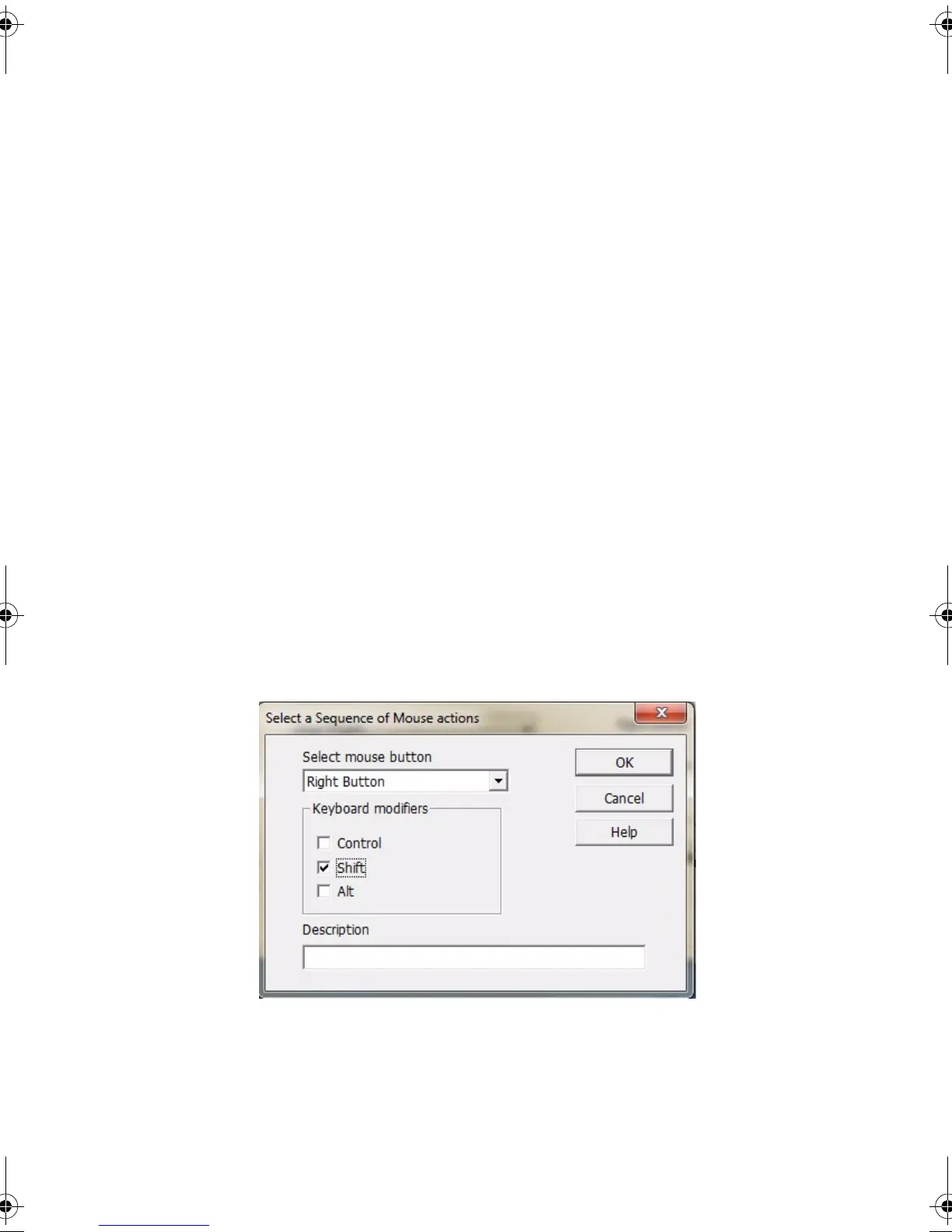
Select a Sequence of Mouse actions
dialog box appears.
5
Select an option from the
Select mouse button
drop-down list.
6
Select the
Keyboard modifiers
(optional).
7
Type a name in the
Description
field.
JogShuttle.fm Page 14 Monday, September 27, 2010 10:01 AM











 To Next Page