8
Click
OK
. The macro is recorded and displayed in the Macro section.
Configuring The Scrolling Operation
1
On the
Jog Shuttle
tab, select an option from the
Application Profile
drop-
down list.
2
Select an option from
Controls
drop-down list.(last four options)
3
Select
Scrolling
from the
Operation
drop–down list.
4
Configure the
Frequency
using the slider.
5
Click
OK
.
Adding And Deleting Application Profiles
Jog Shuttle allows you to add new applications profiles.
To create a profile:
1
On the
Jog Shuttle
tab, click
New
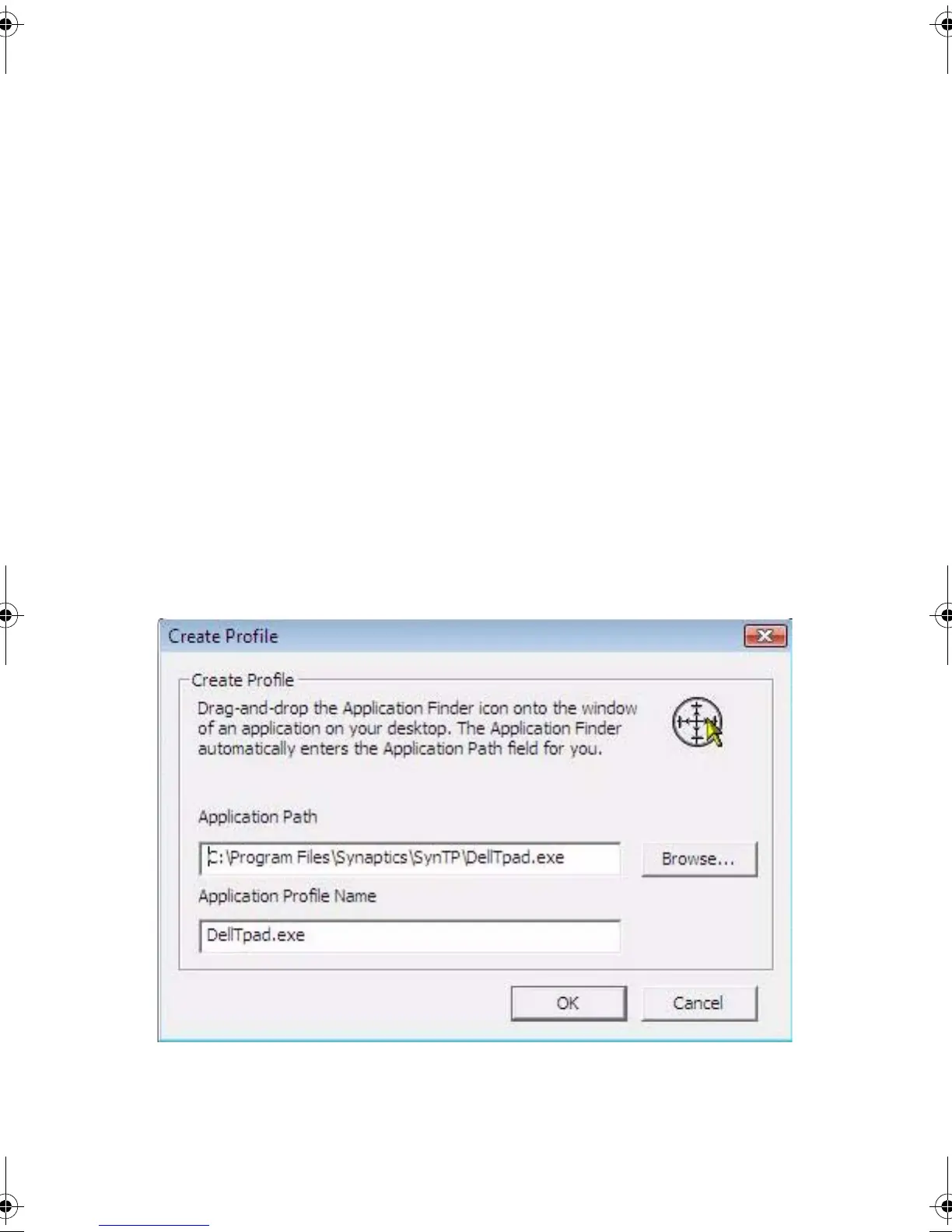
. The
Create Profile
Window appears.
2
Click
Browse
and select the application path.
JogShuttle.fm Page 15 Monday, September 27, 2010 10:01 AM











 To Next Page