52 | Maintenance
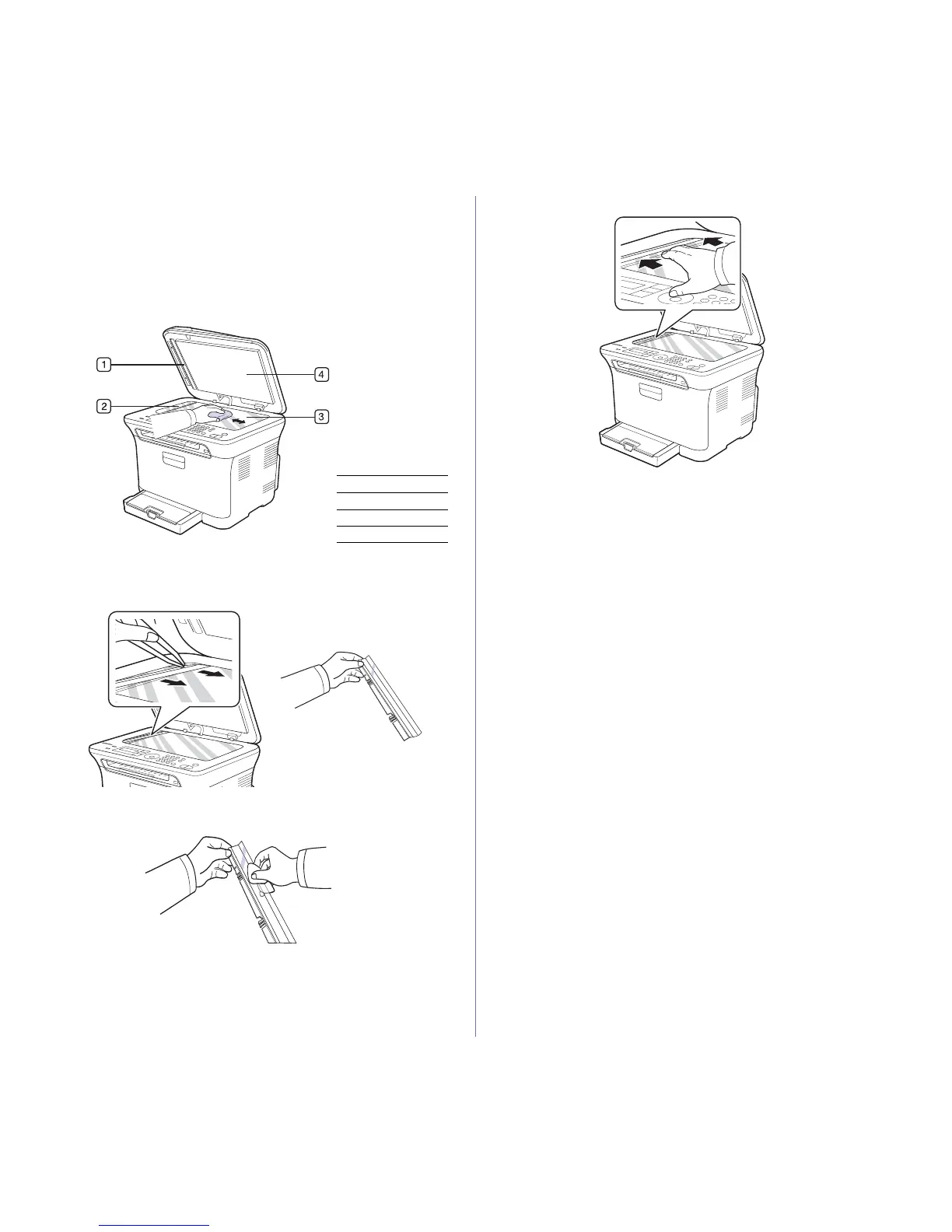
Cleaning the scan unit
Keeping the scan unit clean helps ensure the best possible copies. It is
recommended that you clean the scan unit at the start of each day and
during the day, as needed.
1. Slightly dampen a soft lint-free cloth or paper towel with water.
2. Open the scanner lid.
3. Wipe the surface of the scanner glass until it is clean and dry.
4. Wipe the underside of the scanner lid and white sheet until it is clean
and dry.
5. Push the ADF sheet with any tool such as tweezers carefully.
6. Hold the edge of the ADF sheet, and wipe both sides of the ADF sheet
until it is clean and dry.
7. Push the ADF sheet back into the printer smoothly.
8. Close the scanner lid.
1 White sheet
2 ADF Sheet
3 Scanner glass
4 Scanner lid















 To Next Page