EasyManua.ls Logo

Dell NOT21990 - User Manual

Dell NOT21990
136 pages
Print Icon
To Next Page IconTo Next Page
Loading...
https://tehnoteka.rs
Uputstvo za upotrebu (EN)
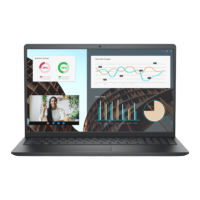
DELL laptop Vostro 3530 (NOT21990)
Tehnoteka je online destinacija za upoređivanje cena i karakteristika bele tehnike,
potrošačke elektronike i IT uređaja kod trgovinskih lanaca i internet prodavnica u Srbiji.
Naša stranica vam omogućava da istražite najnovije informacije, detaljne karakteristike
i konkurentne cene proizvoda.
Posetite nas i uživajte u ekskluzivnom iskustvu pametne kupovine klikom na link:
https://tehnoteka.rs/p/dell-laptop-vostro-3530-not21990-akcija-cena/
1 / 136

Table of Contents

Questions and Answers

  • K
    kevinmuellerSep 9, 2025
    What to do if Dell Laptop has power rail failure?
    • W
      wphamSep 10, 2025
      If your Dell Laptop experiences a power rail failure, begin by flashing the latest BIOS version. If the issue persists, the next step is to replace the system board.
  • Z
    Zachary EvansSep 10, 2025
    How to resolve SBIOS flash corruption on a Dell NOT21990 Laptop?
    • H
      heather21Sep 10, 2025
      To resolve SBIOS flash corruption on your Dell Laptop, flash the latest BIOS version. If the problem continues, replace the system board.
  • J
    Jennifer BowmanSep 10, 2025
    What to do if my Dell NOT21990 Laptop has invalid memory installed?
    • J
      Jeffrey FosterSep 10, 2025
      If your Dell Laptop indicates that invalid memory is installed, replace the memory module.
  • T
    tkellySep 10, 2025
    How to fix LCD failure on Dell Laptop?
    • E
      Elizabeth KnightSep 12, 2025
      To fix an LCD failure on your Dell Laptop, replace the LCD module.
  • M
    mariaromanSep 12, 2025
    How to repair LCD power rail failure on Dell NOT21990 Laptop?
    • J
      Jill GonzalezSep 12, 2025
      To repair an LCD power rail failure on your Dell Laptop, replace the LCD module.
  • M
    Melanie TrujilloSep 12, 2025
    How to fix Memory/RAM failure on Dell NOT21990?
    • T
      Tammy ClementsSep 12, 2025
      To fix a memory or RAM failure on your Dell laptop, reset and swap the memory modules among the slots. If the problem continues, replace the memory module.
  • R
    Russell WigginsSep 12, 2025
    What to do if my Dell Laptop shows error code indicating CPU failure?
    • D
      Douglas HernandezSep 12, 2025
      If your Dell Laptop shows an error code indicating CPU failure, replace the system board.
  • D
    Devin Robbins Jr.Sep 12, 2025
    What to do if Flash corruption detected by SBIOS on Dell NOT21990?
    • M
      Matthew ColemanSep 12, 2025
      If flash corruption is detected by SBIOS on your Dell laptop, press the power button for over 25 seconds to do an RTC reset. If the issue persists, replace the system board. You can also disconnect all power sources (AC, battery, coin cell) and drain flea power by pressing and holding the power button for 3-5 seconds. Also, you can try running "BIOS recovery from USB", and the instructions are in the website Dell support.
  • S
    Sherry ChapmanSep 12, 2025
    What to do if my Dell NOT21990 battery gets stuck due to swelling?
    • K
      Kyle PearsonSep 12, 2025
      If the battery gets stuck in your Dell laptop due to swelling, do not try to free it. Puncturing, bending, or crushing a battery can be dangerous.
  • S
    Steven SummersSep 12, 2025
    How to fix BIOS Recovery image not found on Dell NOT21990 Laptop?
    • A
      alexander05Sep 12, 2025
      If the BIOS Recovery image is not found on your Dell laptop, flash the latest BIOS version. If the problem persists, replace the system board.

Dell NOT21990 Specifications

General IconGeneral
BrandDell
ModelNOT21990
CategoryLaptop
LanguageEnglish

Related product manuals