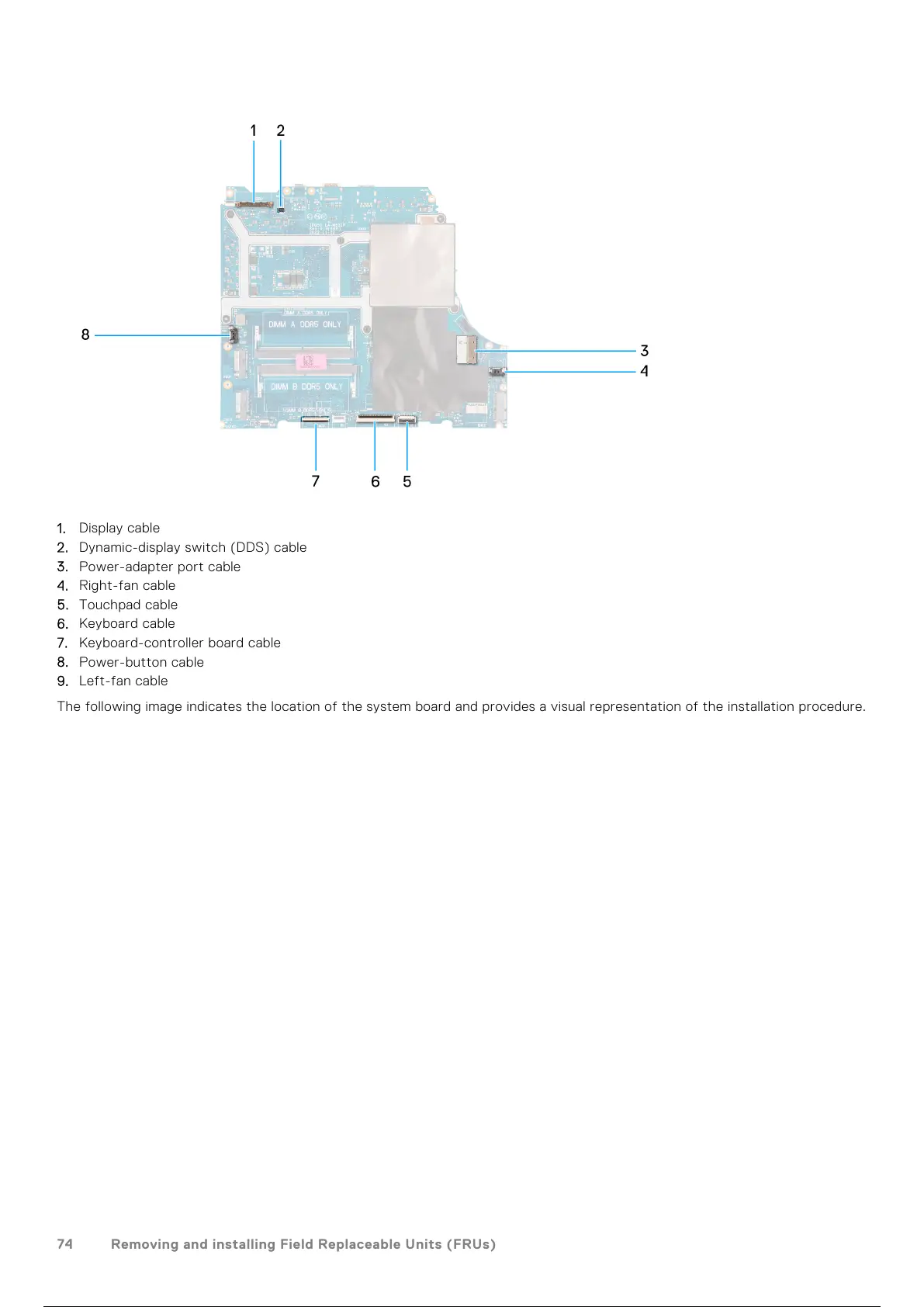
1. Display cable
2. Dynamic-display switch (DDS) cable
3. Power-adapter port cable
4. Right-fan cable
5. Touchpad cable
6. Keyboard cable
7. Keyboard-controller board cable
8. Power-button cable
9. Left-fan cable
The following image indicates the location of the system board and provides a visual representation of the installation procedure.
74
Removing and installing Field Replaceable Units (FRUs)
75 / 111 74 / 109 75 / 111



 To Next Page