VERSION 1.0 6
DELL™ OPTIPLEX™ 330 TECHNICAL GUIDE
6
DEsktop coMputEr (Dt) viEw
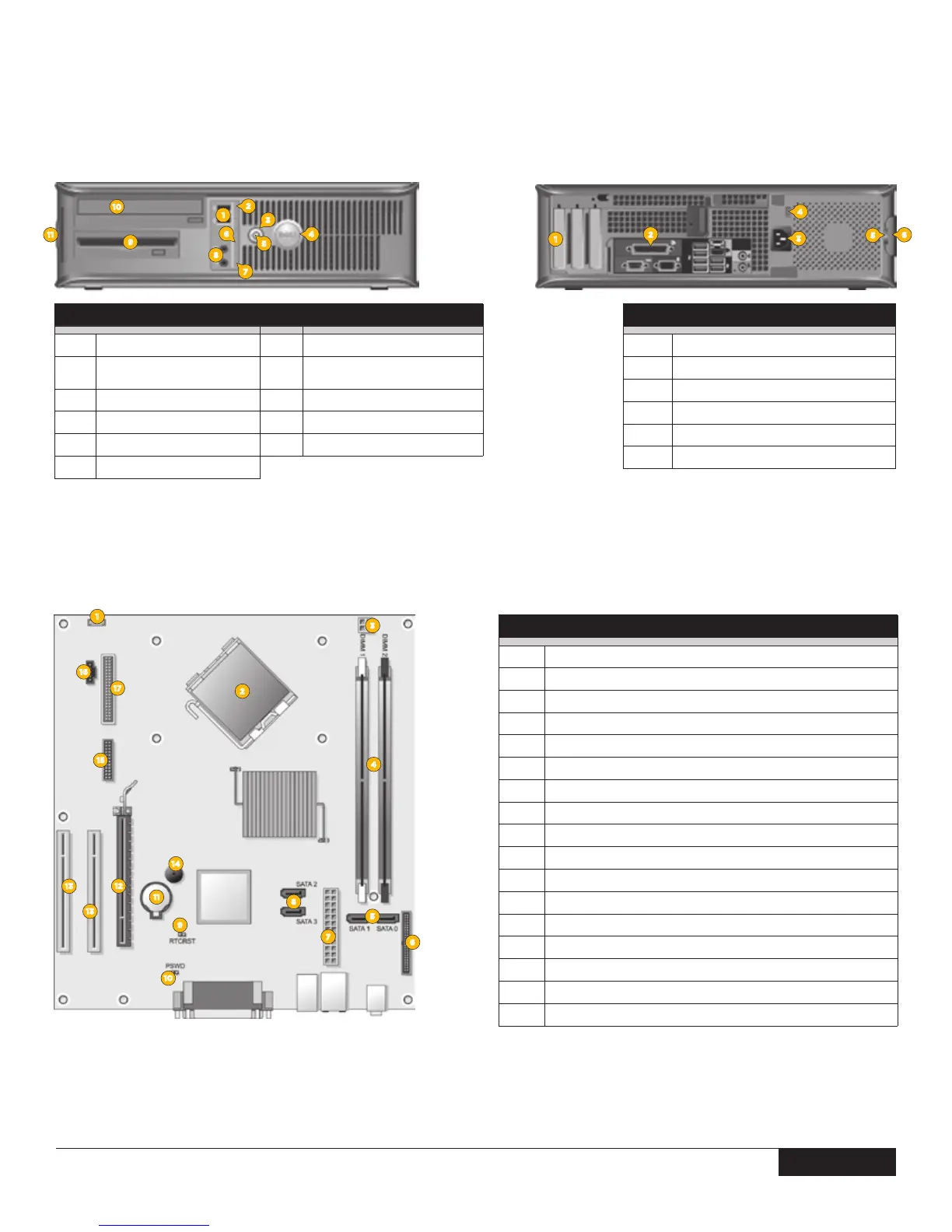
FRONT VIEW
1
USB 2.0 connectors (2)
7
LAN indicator light
2
drive activity light
8
headphone and microphone
connectors
3
power button
9
floppy drive
4
Dell badge
10
optical drive
5
power light
11
service tag
6
diagnostic lights
BACK VIEW
1
card slots
2
back panel connectors
3
power connector
4
voltage selection switch
5
padlock ring
6
cover-release latch
2
11
10
1
3
4
5
7
8
6
9
2
3
5
6
4
1
1
8
11
10
12
13
15
5
9
2
4
6
7
3
14
13
16
17
SYSTEM BOARD COMPONENTS
1
speaker connector (INT_SPKR)
2
processor connector (CPU)
3
processor power connector (12VPOWER)
4
memory module connectors (DIMM_1, DIMM_2)
5
SATA drive connectors (SATA0, SATA1)
6
front-panel connector (FRONTPANEL)
7
power connector (POWER)
8
SATA drive connectors (SATA2, SATA3)
9
RTC reset jumper (RTCRST)
10
password jumper (PSWD)
11
battery socket (BATTERY)
12
PCI Express x16 card connector (SLOT1)
13
PCI card connectors (SLOT2 and SLOT3)
14
internal buzzer (SPKR)
15
serial/PS/2 connector (PS2/SER2)
16
fan connector (FAN_CPU)
17
oppy drive connector (FLOPPY)




 To Next Page