b bezel
c 2.5–inch drive assembly
d optical drive
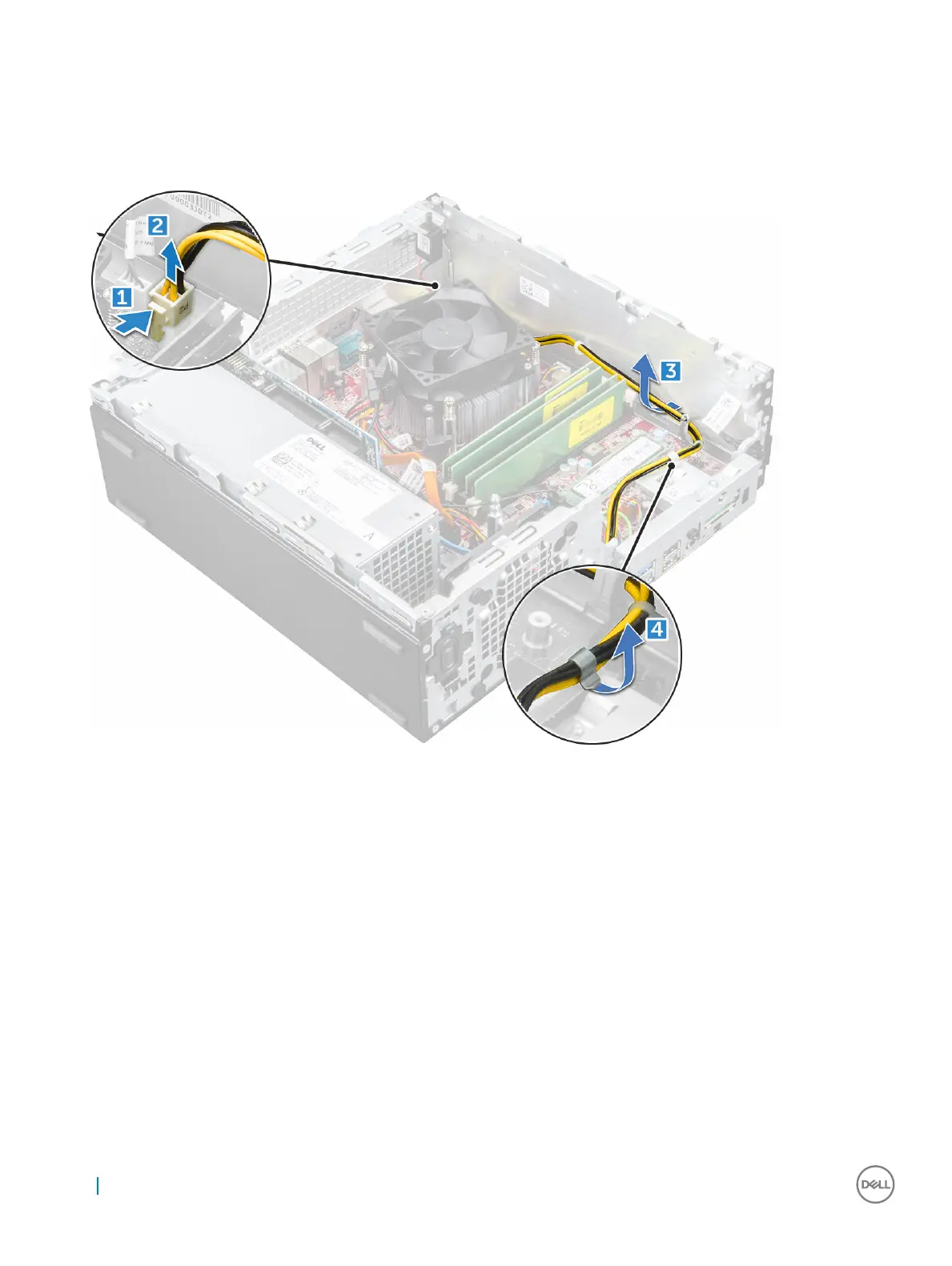
3 To release the PSU:
a Disconnect the power cable from the system board [1] [2].
b Unroute the power cables from the retention clips on the chassis [3] [4].
4 To remove the PSU:
a Disconnect the power cable from the system board [1] [2].
b Lift the cables away from the computer [3].
c Remove the screws that secure the PSU to the computer [4].
26
Removing and installing components










 To Next Page