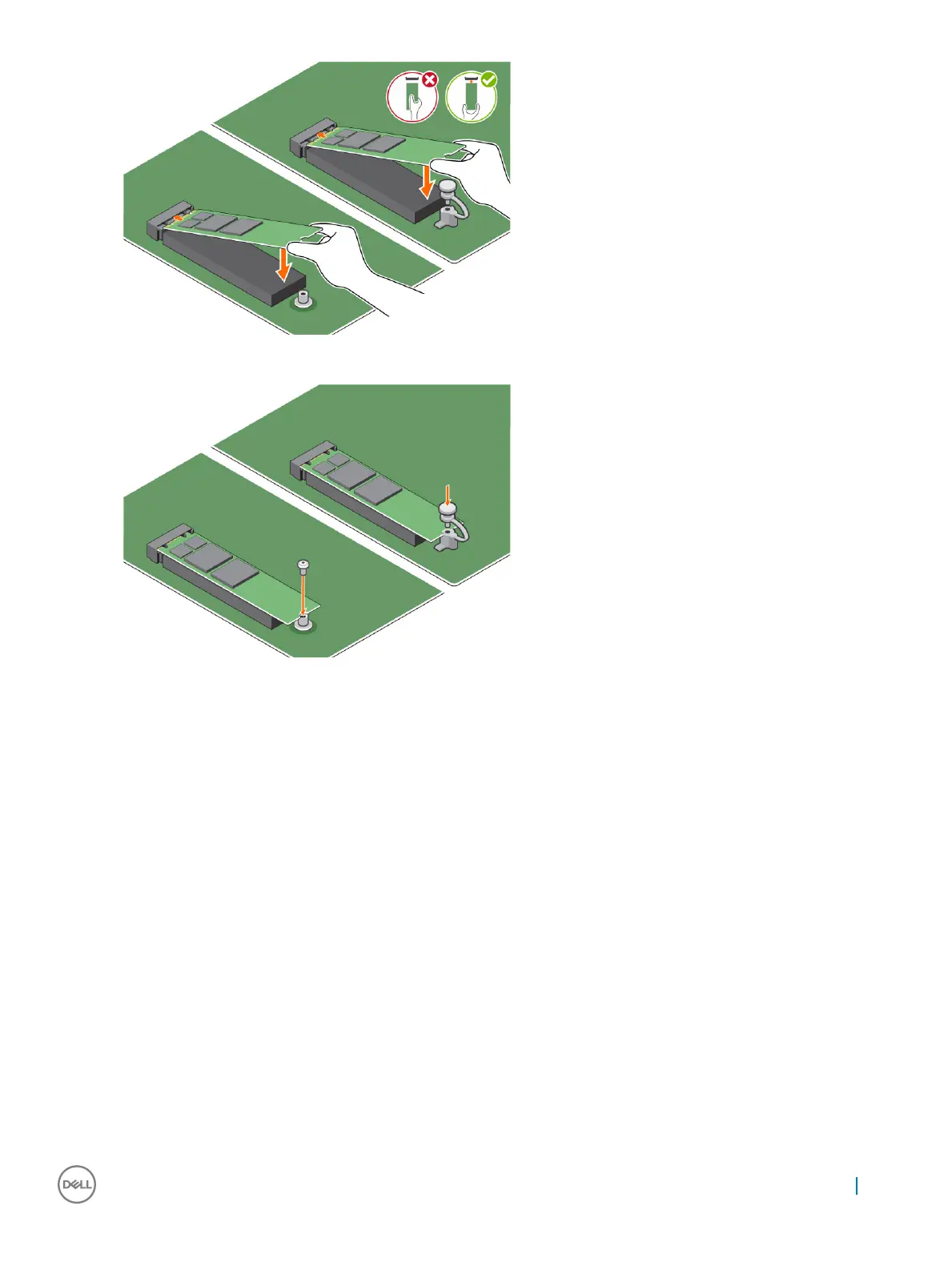
d If the system is shipped with screw tighten that secures the M.2 Intel optane memory module on the computer. If the system is
shipped with self locking spacer press to lock the M.2 Intel optane to secure on the computer.
4 To remove the expansion card:
a Pull the release tab at the base of the expansion card [1].
b Disconnect and lift the expansion card away from the connector [2].
M.2 Intel Optane Memory Module 16 GB
37










 To Next Page