EasyManua.ls Logo

Dell OptiPlex 5400 All-in-One - User Manual

Dell OptiPlex 5400 All-in-One
32 pages
Print Icon
To Next Page IconTo Next Page
Loading...
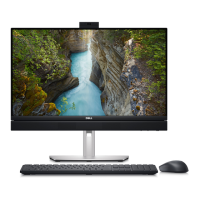
OptiPlex 5400 All-in-One
Setup and Specifications
Regulatory Model: W26C
Regulatory Type: W26C005
March 2022
Rev. A00

Questions and Answers

  • K
    keithcolemanSep 10, 2025
    What to do if flash corruption detected by SBIOS on Dell Desktop?
    • A
      Anita CampbellSep 10, 2025
      You can try a few things: 1. Press the power button for over 25 seconds to do an RTC reset. 2. Disconnect all power sources (AC, battery, coin cell) and drain flea power by pressing and holding down the power button for 3~5 seconds. If the problem persists, replace the system board.
  • B
    Barbara NelsonAug 25, 2025
    What to do if my Dell OptiPlex 5400 All-in-One Desktop has a processor failure?
    • M
      Mark ConnerAug 25, 2025
      To address a processor failure on your Dell Desktop, run the Intel CPU diagnostics tools. If the issue continues, consider replacing the system board.
  • A
    Audrey JacksonAug 25, 2025
    How to fix BIOS failure on Dell Desktop?
    • C
      christinegillAug 26, 2025
      If your Dell Desktop experiences a BIOS or ROM failure, flash the latest BIOS version. If the problem continues, the system board may need to be replaced.
  • C
    courtneythompsonSep 23, 2025
    How to fix LCD failure (EC detection of power rail failure) on Dell OptiPlex 5400 All-in-One?
    • J
      Jennifer JonesSep 23, 2025
      If you are experiencing an LCD failure due to EC detection of power rail failure on your Dell Desktop, replace the system board.
  • R
    robertgarciaSep 12, 2025
    How to resolve LCD failure (SBIOS message) on Dell OptiPlex 5400 All-in-One Desktop?
    • N
      nguyendylanSep 12, 2025
      Replace the LCD module.
  • Z
    Zachary BaileySep 15, 2025
    What to do for ungraceful EC code flow errors on Dell OptiPlex 5400 All-in-One?
    • L
      Lauren WalkerSep 16, 2025
      Disconnect all power sources (AC, battery, coin cell) and drain flea power by pressing and holding down the power button for 3~5 seconds.
  • K
    kelli18Sep 4, 2025
    What to do if EC unable to program i-Fuse on Dell Desktop?
    • L
      Laura PalmerSep 4, 2025
      To resolve the issue where the EC is unable to program i-Fuse on your Dell Desktop, replace the system board.
  • J
    Jason ColeSep 5, 2025
    How to fix ungraceful EC code flow errors on Dell Desktop?
    • W
      Wesley DicksonSep 5, 2025
      To resolve a generic catch-all for ungraceful EC code flow errors on your Dell Desktop, disconnect all power sources (AC, battery, coin-cell) and press and hold the power button to drain flea power.
  • A
    Amy HallSep 23, 2025
    How to fix generic catch-all for ungraceful EC code flow errors on Dell Desktop?
    • T
      Thomas KelleySep 23, 2025
      To address generic catch-all errors for ungraceful EC code flow on your Dell Desktop, disconnect all power sources (AC, battery, coin cell) and drain flea power by pressing and holding down the power button for 3~5 seconds.
  • M
    Mark ChurchAug 30, 2025
    How to fix Management Engine (ME) error on Dell OptiPlex 5400 All-in-One?
    • S
      Steven TrujilloAug 30, 2025
      If you encounter a Management Engine (ME) error on your Dell Desktop, and a timeout error is displayed while waiting on ME to reply to HECI message, replace the system board.

Dell OptiPlex 5400 All-in-One Specifications

General IconGeneral
RAMUp to 64GB DDR4
ProcessorUp to 12th Gen Intel® Core™ i7
StorageUp to 2TB SSD
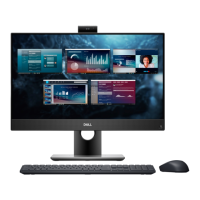
Display23.8-inch FHD (1920x1080) IPS
GraphicsIntel UHD Graphics
Operating SystemWindows 11 Pro
PortsHDMI, RJ-45
WirelessBluetooth
AudioIntegrated
CameraPop-up webcam
Dimensions540.00 mm

Related product manuals