12/15
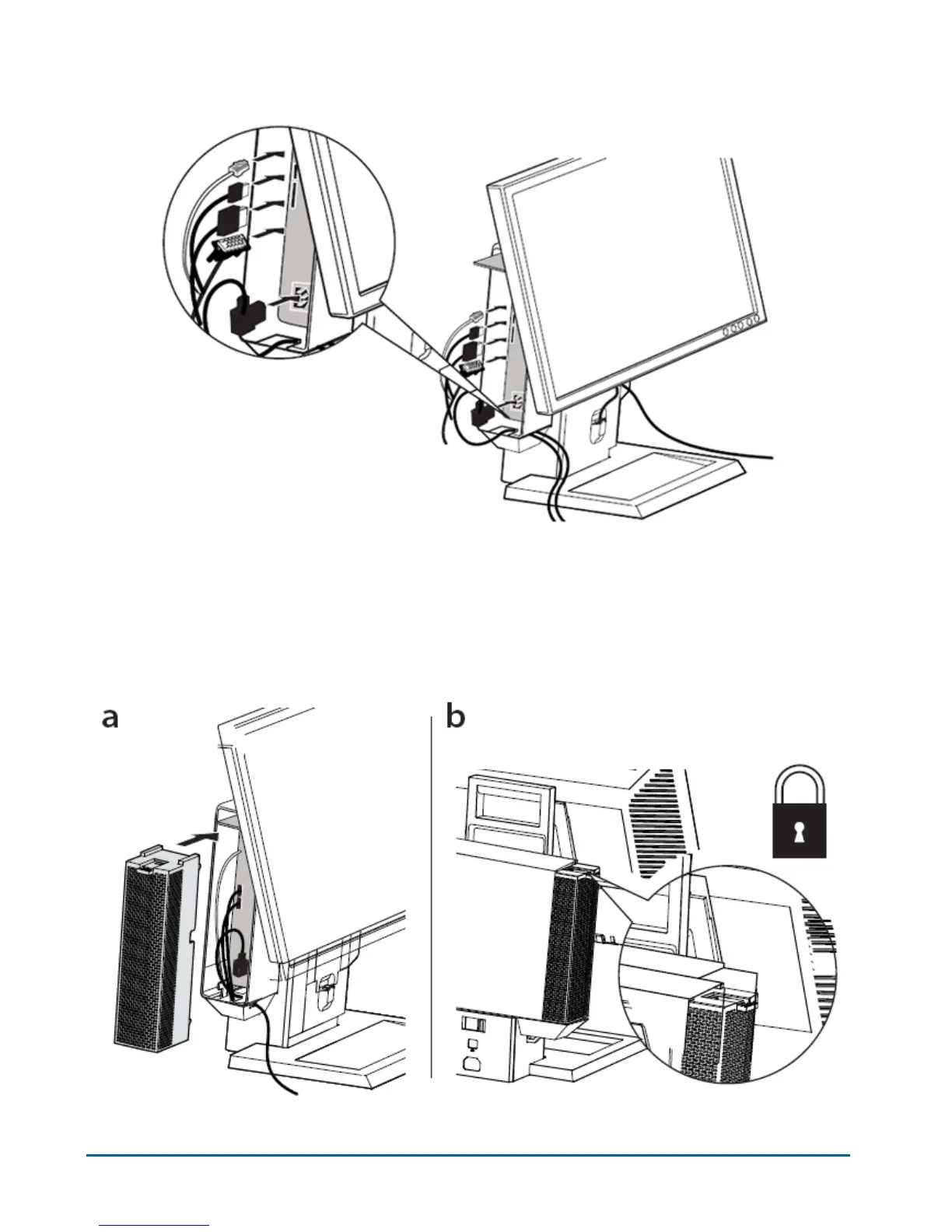
Connect the monitor cable (VGA or DisplayPort), power plug, network cable and any
accessory cables, (keyboard, mouse, speaker, etc.) to the rear of the system.
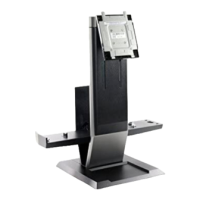
Slide the lock switch out to unlock the cable cover. With the system label carrier
extended, attach the cable cover underneath the label carrier and to the system sleeve.
Then push the system label carrier back to reveal the cable cover lock switch.
Slide the switch to lock the cable cover.
11
12
b
a


 To Next Page