Setting Up Your Computer 21
2
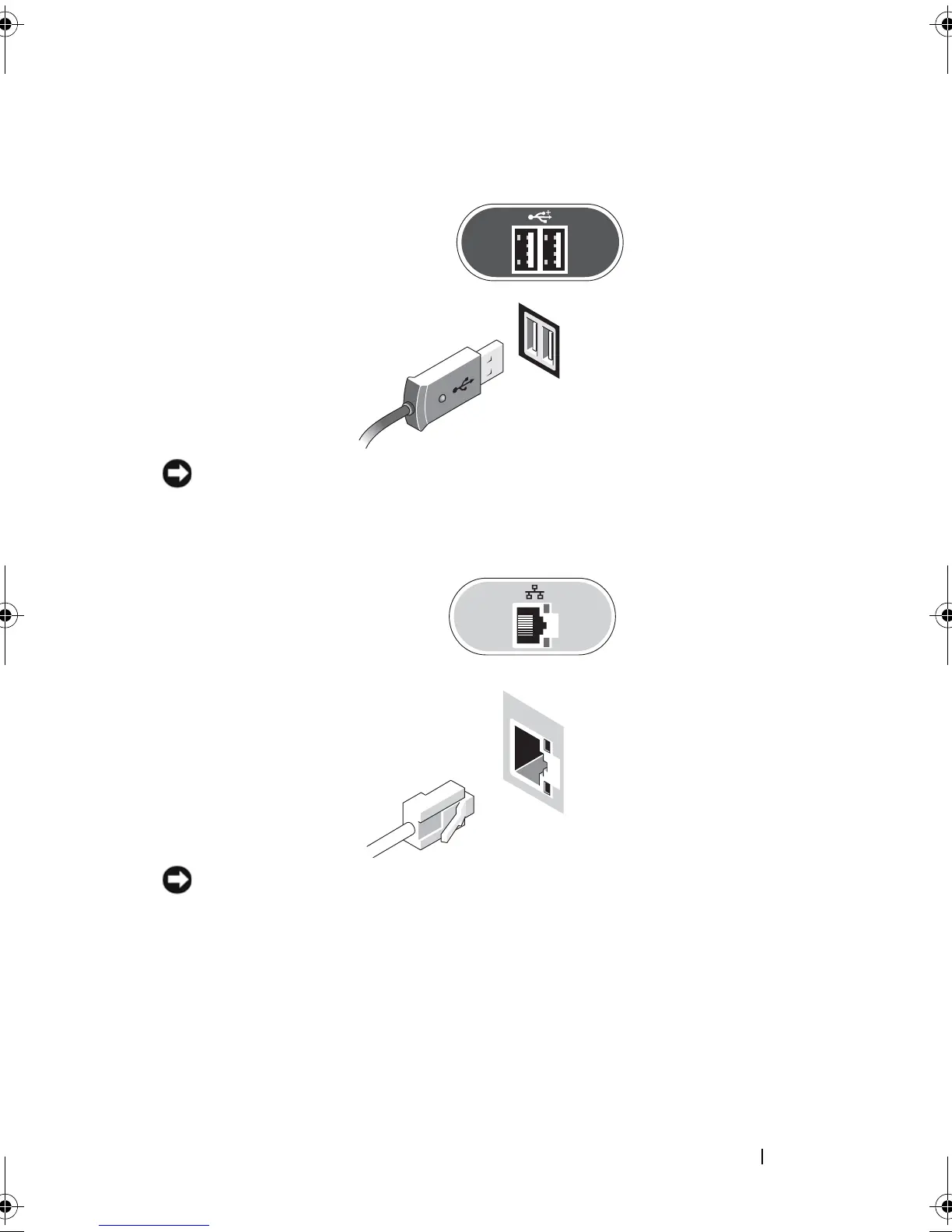
Connect a USB device, such as a keyboard or mouse.
NOTICE: Ensure that you connect the network cable to the connector identified
with the icon shown in the following illustration.
3
Connect the network cable.
NOTICE: Ensure that you connect the modem to the connector identified with the
icon shown in the following illustration.
4
Connect the modem (optional).
book.book Page 21 Friday, October 17, 2008 4:02 PM













 To Next Page