Setting Up Your Computer 25
Ultra Small Form Factor Cable Cover (Optional)
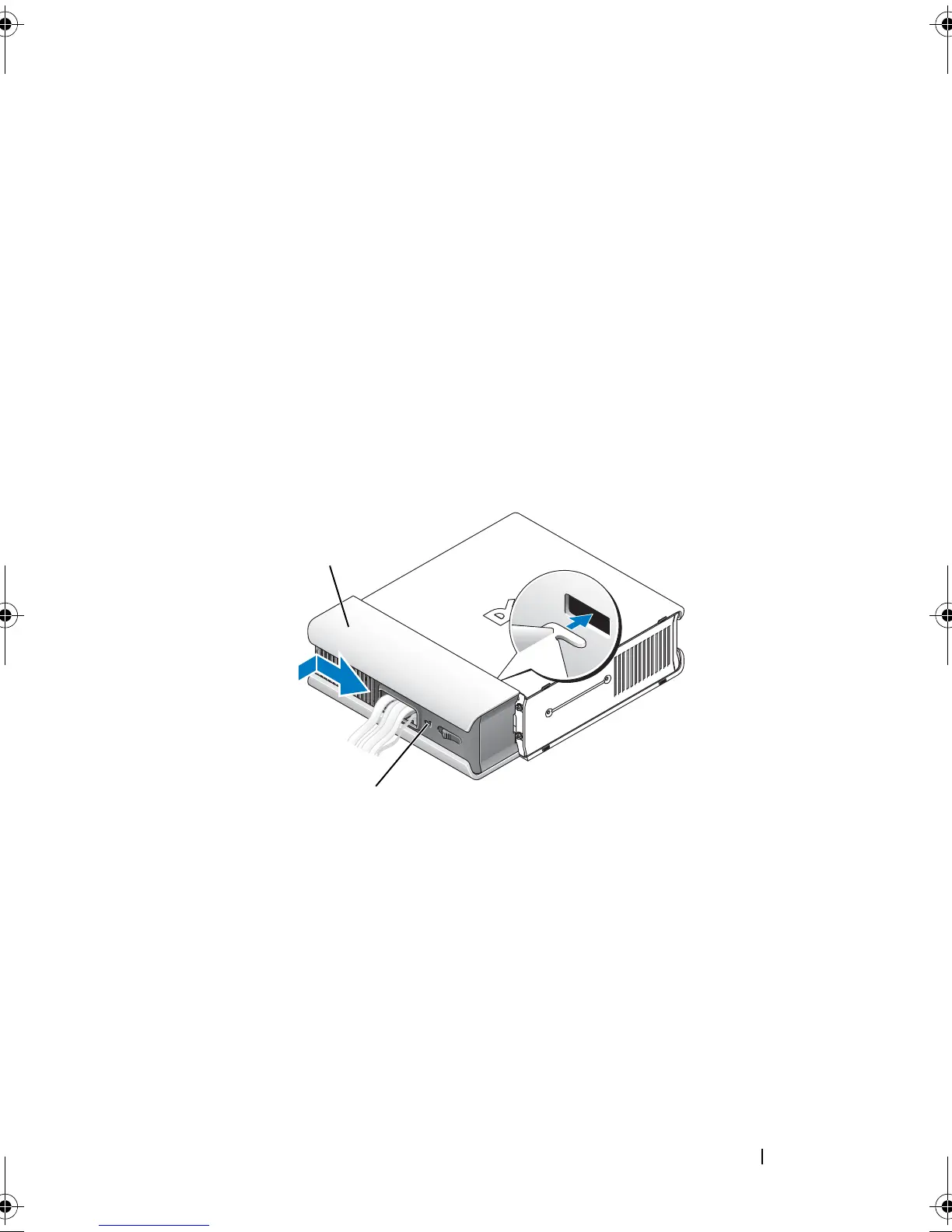
Attaching the Cable Cover
1
Ensure that all external device cables are threaded through the hole in the
cable cover.
2
Connect all device cables to the connectors on the back of the computer.
3
Hold the bottom of the cable cover to align the tabs with the slots on the
computer’s back panel.
4
Insert the tabs into the slots and slide the cover to align the end of the
cover with the end of the chassis (see the illustration) until the cable cover
is securely positioned.
5
Install a security device in the security cable slot (optional).
1 cable cover
2 security cable slot
book.book Page 25 Friday, October 17, 2008 4:02 PM













 To Next Page