About Your Computer 7
About Your Computer
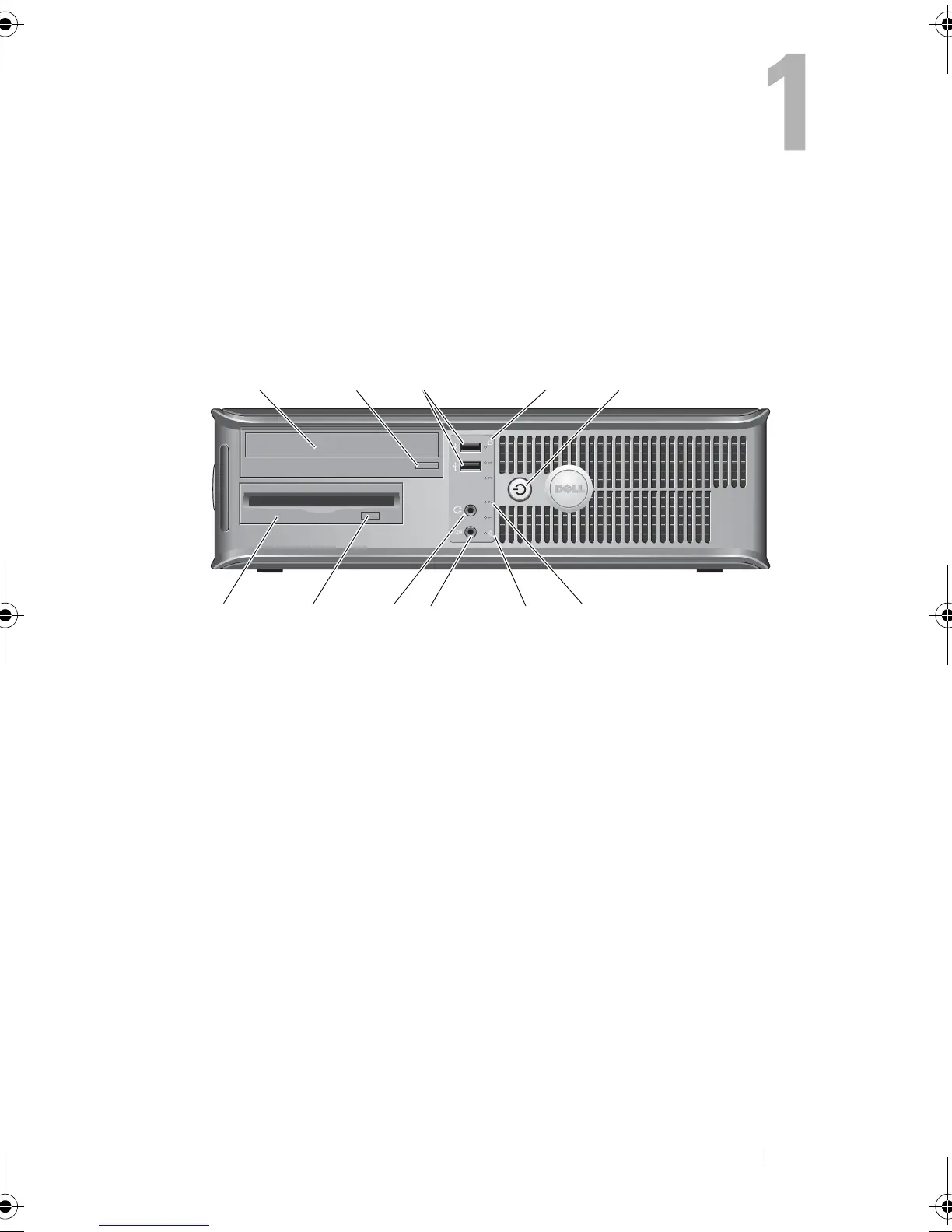
Desktop — Front View
1 optical drive 2 optical-drive eject button
3 USB 2.0 connectors (2) 4 hard-drive activity light
5 power button, power light 6 diagnostic lights (4)
7 network-connectivity light 8 microphone connector
9 headphone connector 10 optional floppy drive eject button
11 floppy drive or Media Card
Reader (optional)
book.book Page 7 Friday, October 17, 2008 4:02 PM













 To Next Page