24 Setting Up Your Computer
4
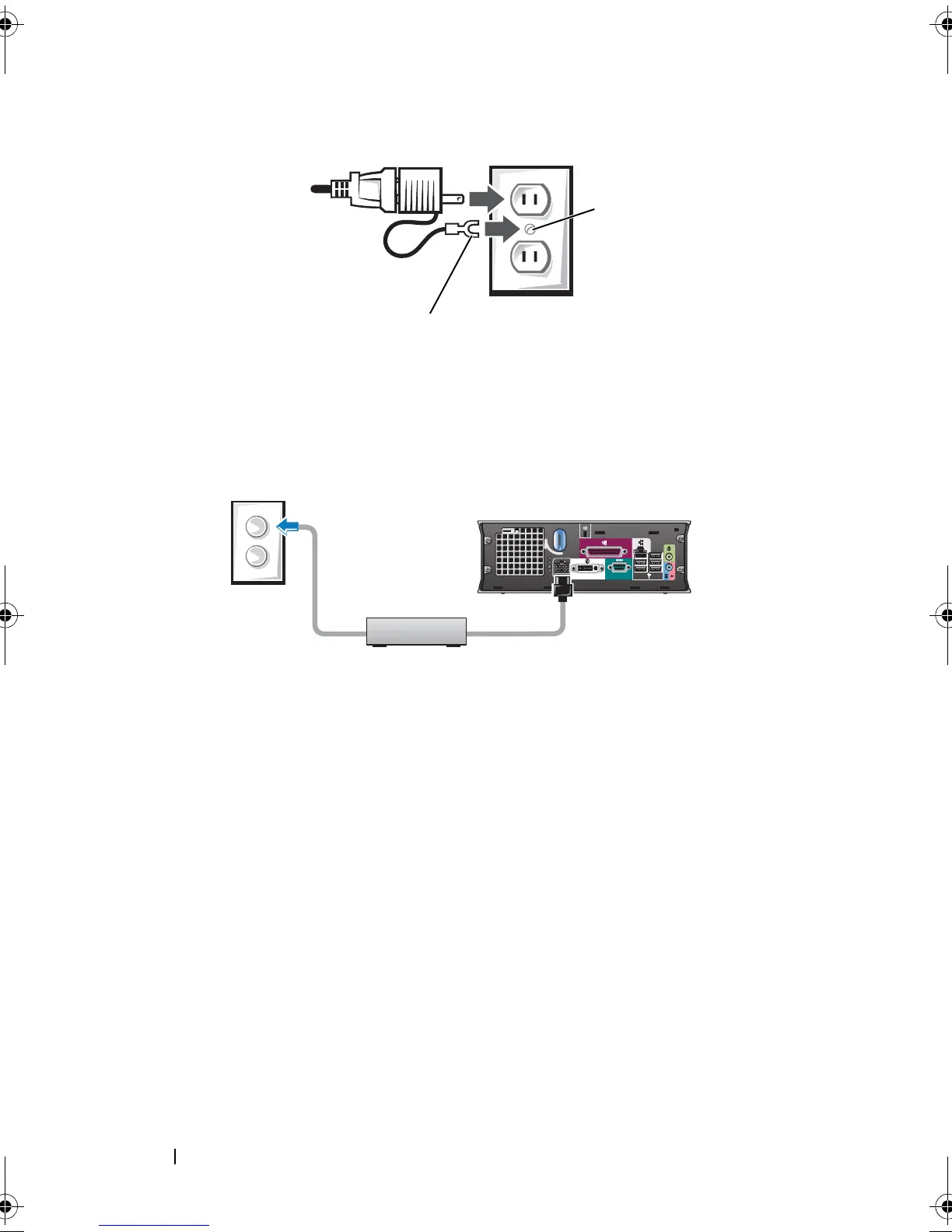
Connect the AC power cable to the power outlet.
The AC power adapter has a status light that is off when the adapter is not
plugged into the power outlet, and it is green or amber for the following
different states:
• green light — solid green indicates that the power adapter is
connected to an AC power outlet and to the computer.
• amber light — solid amber indicates that the power adapter is
connected to an AC power outlet but not to the computer. The
computer will not operate in this condition. Connect the AC power
adapter to the computer and/or reset the power adapter by
disconnecting and reconnecting the plug to the power outlet.
1 grounding source (screw)
2 metal ground connector
book.book Page 24 Friday, October 17, 2008 4:02 PM













 To Next Page