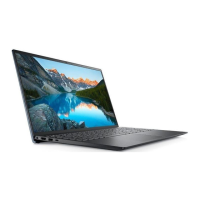
What to do if BIOS Recovery image is not found on Dell P104F Laptop?
- CCynthia AdamsAug 31, 2025
If the BIOS Recovery image is not found on your Dell Laptop, flash the latest BIOS version. If the problem continues, replace the system board.


What to do if BIOS Recovery image is not found on Dell P104F Laptop?
If the BIOS Recovery image is not found on your Dell Laptop, flash the latest BIOS version. If the problem continues, replace the system board.
What to do if Dell Laptop battery is swollen?
If your Dell Laptop battery is swollen, immediately stop using the laptop. Disconnect the AC adapter and allow the battery to fully discharge. Swollen batteries should not be used. Replace the swollen battery and dispose of it properly. You may also contact Dell product support to explore options for replacing the battery under your warranty or service contract.
How to fix a memory/RAM failure on a Dell P104F Laptop?
If you have a memory or RAM failure in your Dell Laptop, try resetting and swapping the memory modules among the slots. If the problem persists, replace the memory module.
How to fix Power rail failure on Dell P104F?
To fix a power rail failure on your Dell laptop, replace the system board.
What to do if my Dell P104F CPU fails?
If your Dell Laptop's CPU fails, run the Dell Support Assist/Dell Diagnostics tool. If the problem continues after running the diagnostic tool, replace the system board.
How to resolve a power rail failure on a Dell P104F?
To resolve a power rail failure on your Dell Laptop, replace the system board.
How to resolve RTC reset failure on Dell P104F?
To resolve an RTC reset failure on your Dell laptop, disconnect all power sources, including the AC adapter, battery, and coin cell. Then, drain any remaining power by pressing and holding the power button for 3 to 5 seconds. If the problem persists, replace the system board.
How to fix a Dell P104F when no memory/RAM is detected?
If your Dell laptop is not detecting memory/RAM, ensure that the memory module is correctly installed. If the problem persists, try replacing the memory module.
What to do if Dell P104F has swollen lithium-ion batteries?
If you notice that the lithium-ion batteries in your Dell Laptop are swollen, immediately stop using the laptop. Disconnect the AC adapter and allow the battery to fully drain. It is also recommended to replace the swollen batteries and dispose of them properly. You can also contact Dell product support to explore options for replacing the swollen battery under your warranty or service contract.
How to fix WiFi connectivity issues on Dell Laptop?
To fix WiFi connectivity issues on your Dell Laptop, perform a WiFi power cycle procedure.
Read safety information and best practices for safe computer operation.
Warning against removing the computer cover unless installing internal accessories.
Importance of installing filler brackets for maintaining FCC certification and protecting the computer.
Specifies the accepted input voltage range for the power adapter.
Details the maximum input current the power adapter can draw.
Indicates the acceptable input frequency range for the power adapter.
Lists the available output current ratings for the power adapter.
Read safety information and best practices for safe computer operation.
Warning against removing the computer cover unless installing internal accessories.
Importance of installing filler brackets for maintaining FCC certification and protecting the computer.
Specifies the accepted input voltage range for the power adapter.
Details the maximum input current the power adapter can draw.
Indicates the acceptable input frequency range for the power adapter.
Lists the available output current ratings for the power adapter.
Loading...