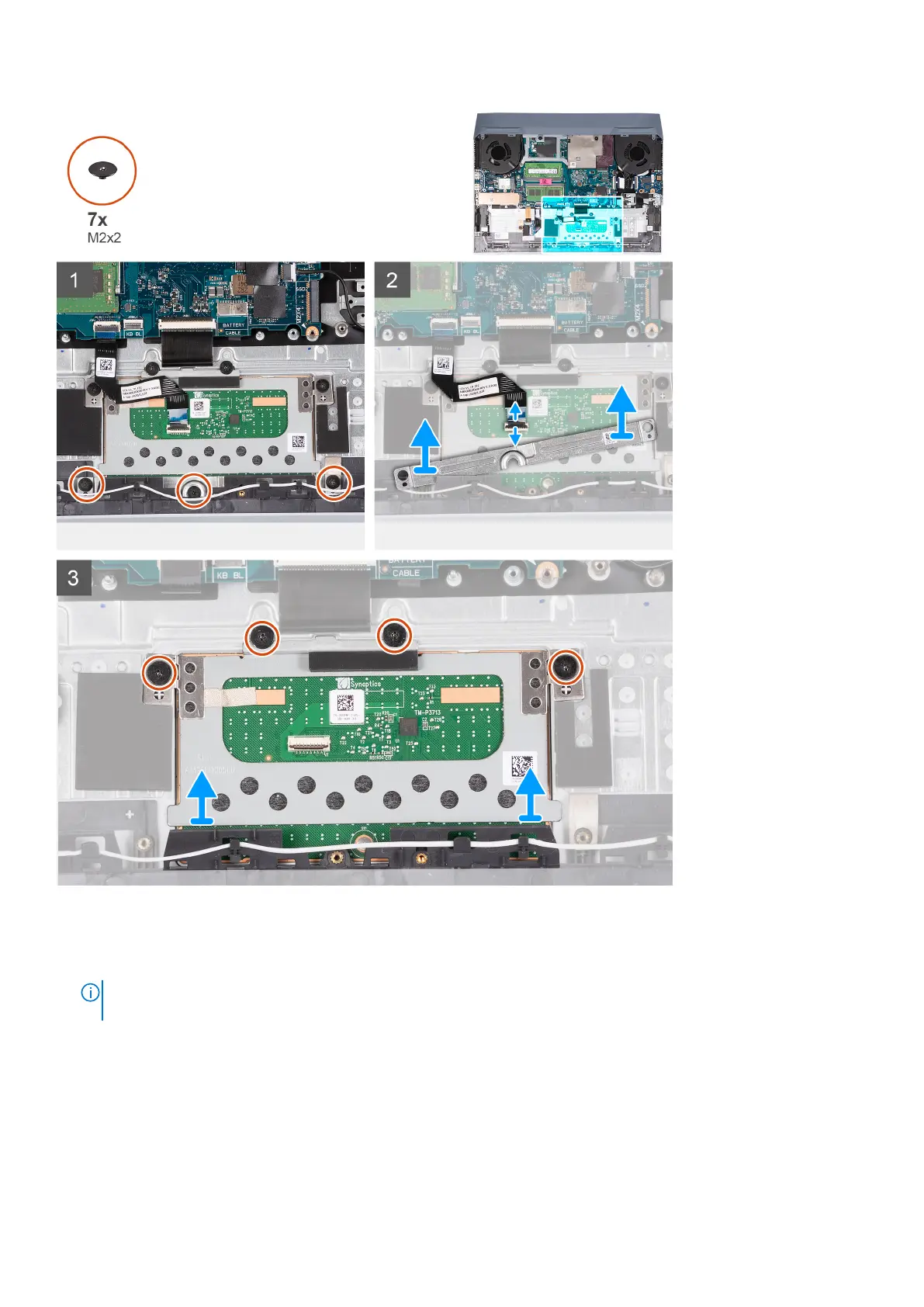
Steps
1. Remove the seven (M2x2) screws that secure the touchpad bracket to the palm-rest and keyboard assembly
2. Lift the touchpad bracket off the palm-rest and keyboard assembly.
NOTE:
After removing the touchpad, if the replacement touchpad is not installed immediately, replace the touchpad
bracket to the palm-rest and key board assembly.
3. Open the latch and disconnect the touchpad cable from the system board.
4. Lift the touchpad off the palm-rest and keyboard assembly.
Removing and installing components
17



 To Next Page