Steps
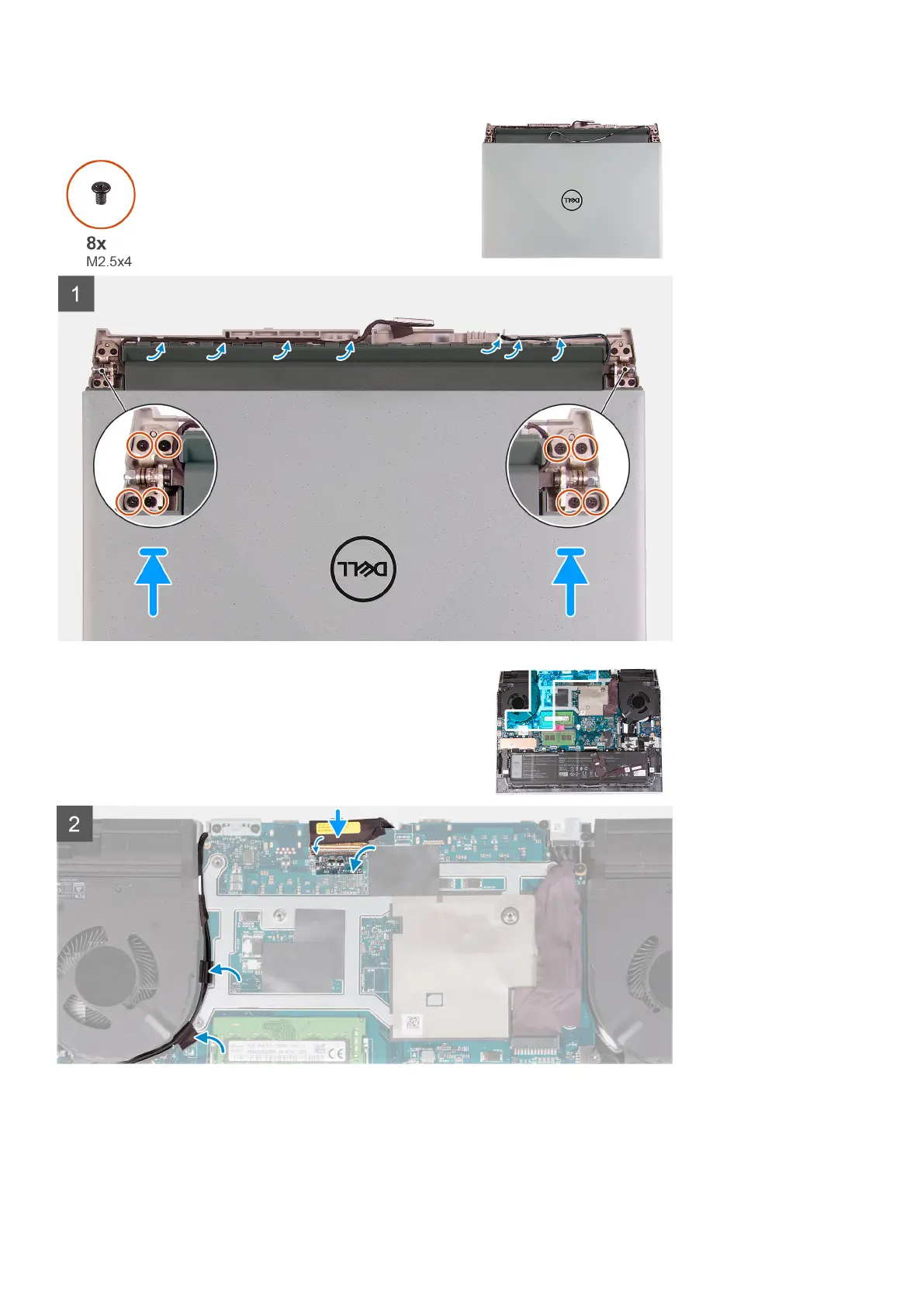
1. Align the screw holes on the display hinges with screw holes on the palm-rest and keyboard assembly and place the display
assembly on the palm-rest and keyboard assembly.
2. Route the antenna cable and display cable through the routing guides on the palm-rest and keyboard assembly and to the
top side of the computer and along the left of the power adapter port.
36
Removing and installing components



 To Next Page