NOTE: Ensure that your computer is in Service Mode. For more information see, step 6 in Before working inside your
computer.
2. Remove the base cover.
3. Remove the left fan.
4. Remove the heat sink..
5. Remove the power-button board.
About this task
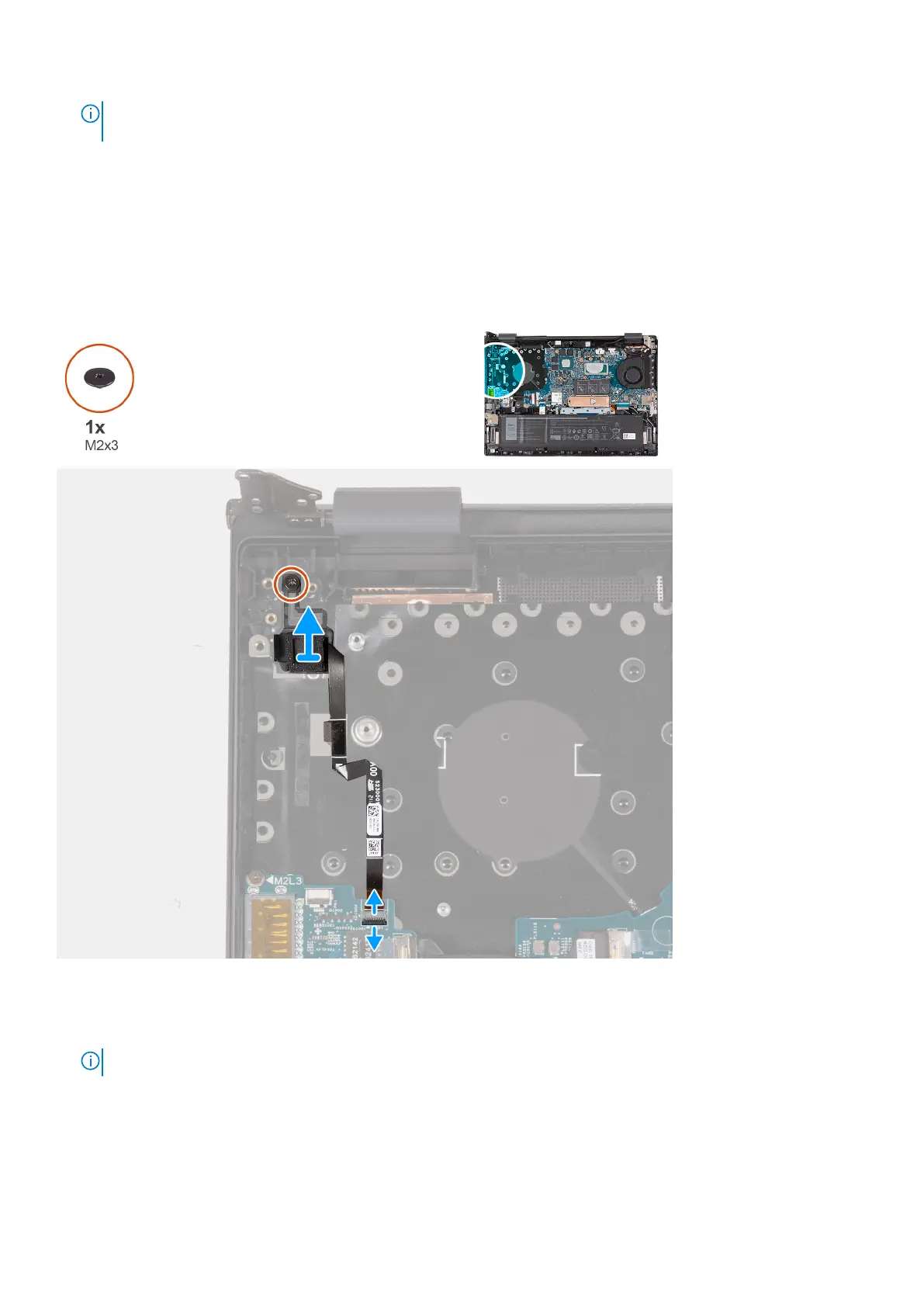
The following image(s) indicate the location of the power button with optional fingerprint reader and provides a visual
representation of the removal procedure.
Steps
1. Remove the screw (M2x3) that secures the power button with optional fingerprint reader to the palm-rest and keyboard
assembly.
NOTE: This step is only applicable to computers shipped with a fingerprint reader.
2. Open the latch and disconnect the finger-print reader cable from the I/O board.
3. Lift the power button with optional fingerprint reader off the palm-rest and keyboard assembly.
54
Removing and installing components



 To Next Page