NOTE: On certain computer models, the power and battery-status light are also used for diagnostics. For more
information, see the Troubleshooting section in your computer’s Service Manual.
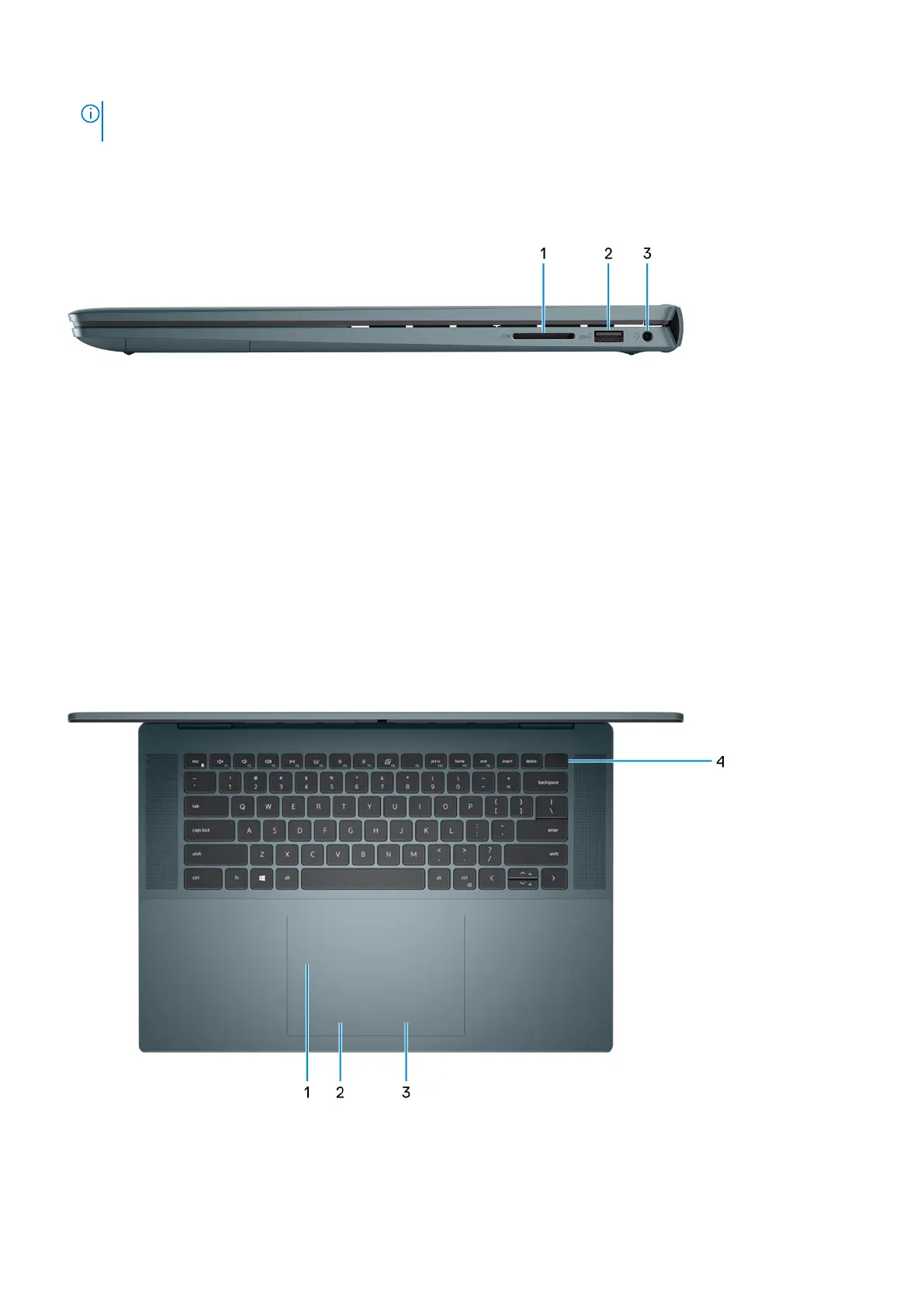
Right
1. SD-card slot
Reads from and writes to the SD card. The computer supports the following card types:
● Secure Digital (SD)
● Secure Digital High Capacity (SDHC)
● Secure Digital Extended Capacity (SDXC)
2. USB 3.2 Gen 1 port
Connect devices such as external storage devices and printers. Provides data transfer speeds up to 5 Gbps.
3. Global headset jack
Connect headphones or a headset (headphone and microphone combo).
Top
1. Precision touchpad
Move your finger on the touchpad to move the mouse pointer. Tap to left-click and two fingers tap to right-click.
2. Left-click area
Views of Inspiron 16 7620 2-in-1
7



 To Next Page