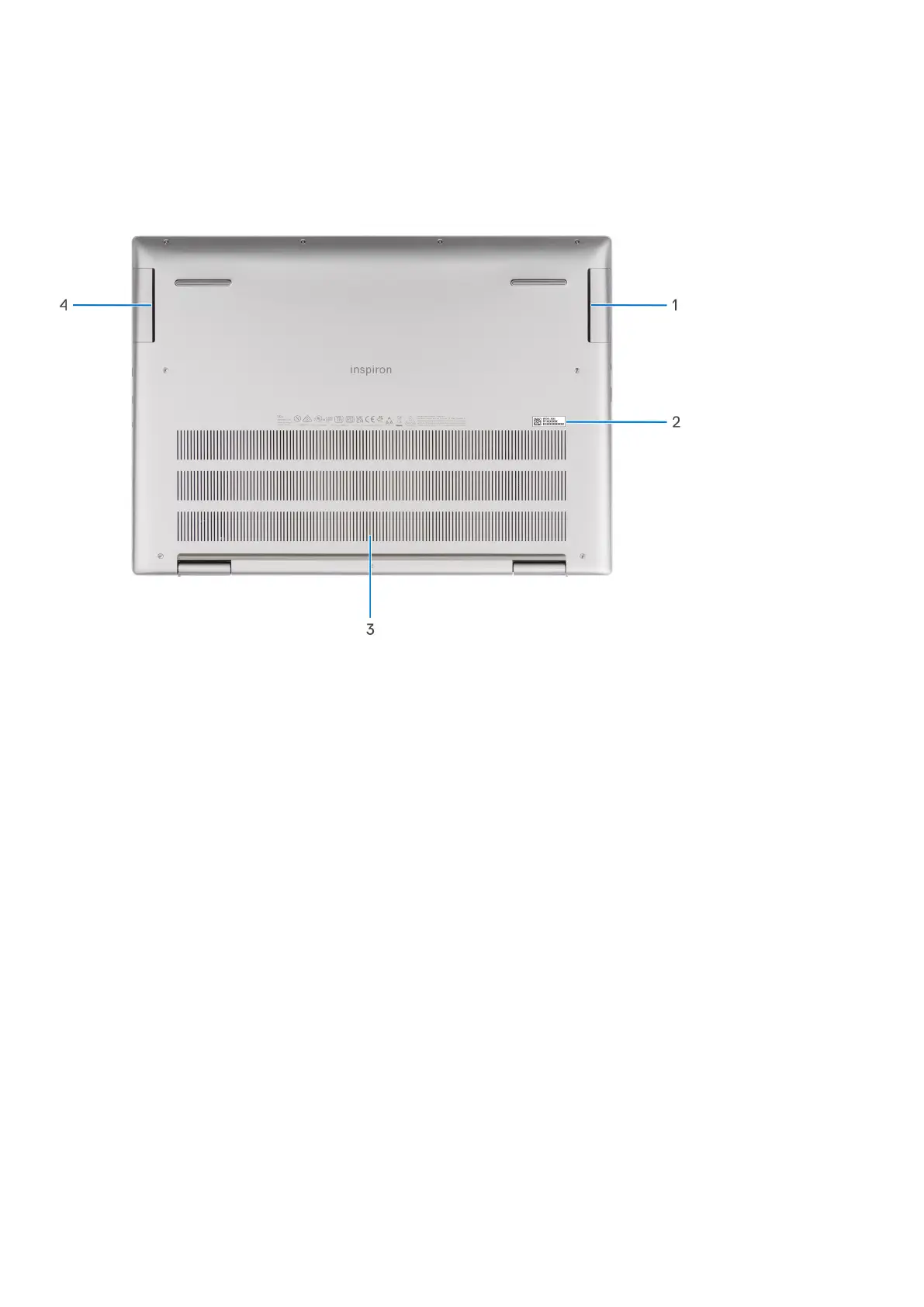
Bottom
1. Right speaker (woofer)
Enhances low-frequency audio output.
2. Service Tag and regulatory labels
The Service Tag is a unique alphanumeric identifier that enables Dell service technicians to identify the hardware
components in your computer and access warranty information. The regulatory label contains regulatory information of
your computer.
3. Air vents
Air vents provide ventilation for your computer. Clogged air vents can cause overheating and can affect your computer's
performance and potentially cause hardware issues. Keep the air vents clear of obstructions and clean them regularly to
prevent build-up of dust and dirt. For more information about cleaning air vents, search for articles in Knowledge Base
Resource at www.dell.com/support.
4. Left speaker (woofer)
Enhances low-frequency audio output.
Service Tag
The service tag is a unique alphanumeric identifier that allows Dell service technicians to identify the hardware components in
your computer and access warranty information.
12
Views of Inspiron 16 Plus 7630



 To Next Page