20 │ Setting up the monitor
NOTE: For normal usage, devices of computer and mobile phone that connect
to P1424H need to support video signal and power output of 7.5 W (5 V/1.5 A).
When you encounter abnormal display condition, please check your devices
to see if they support USB Type-C Alt-mode display and PD2.0 or above. After
checking, please re-connect and try again.
NOTE: It is suggested to connect to power adapter when connecting to
mobile phone.
Plug in usage
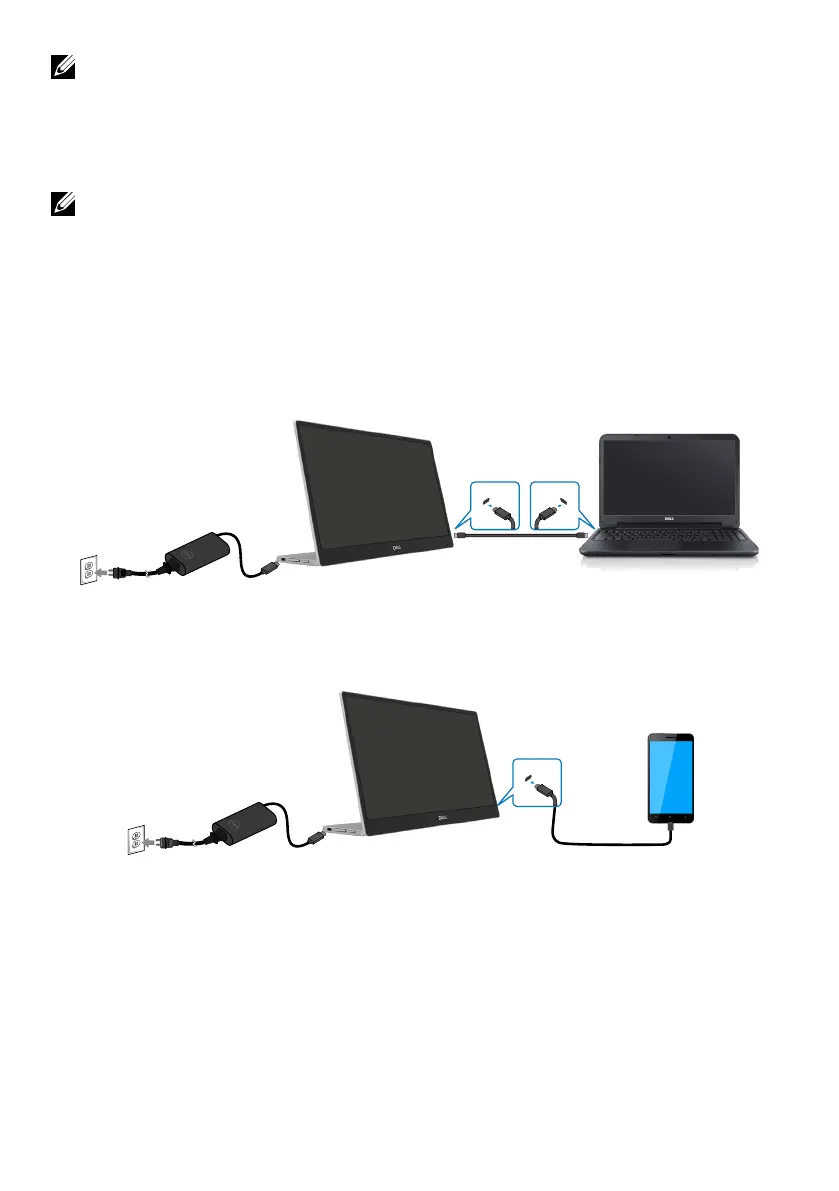
There are 2 kinds of plug in usage for P1424H: computer and mobile phone with power adapter.
1. Connect Type-C power adapter to P1424H and connect P1424H to the computer with a
USB Type-C cable. (Electronically marked cable, current rating: 5 A)
USB Type-CUSB Type-C
USB-PD Adapter
2. Connect Type-C power adapter to P1424H and connect P1424H to the mobile phone with
a USB Type-C cable.
Type-C
mobile phone
USB Type-C
USB-PD Adapter



 To Next Page