24 │ Operating the monitor
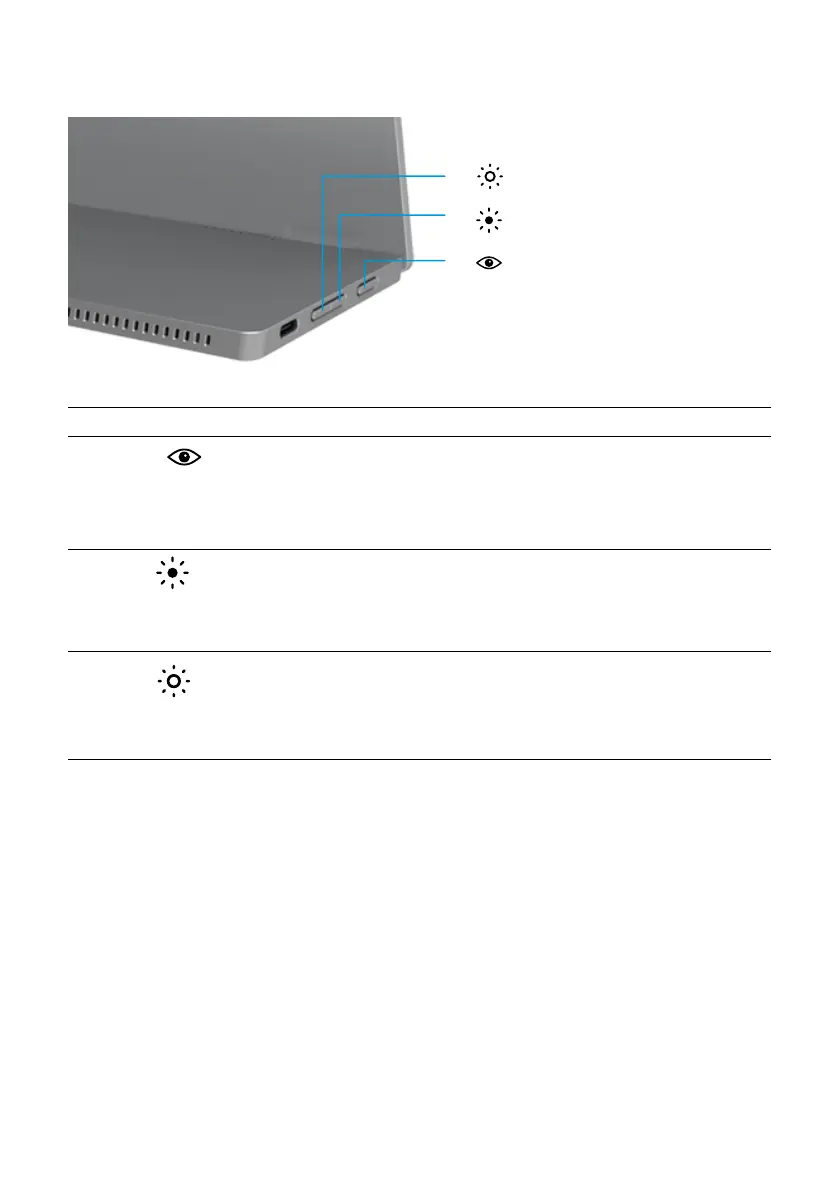
OSD controls
Use the buttons on the edge of the monitor to adjust the image settings.
3
2
-
+
1
Control buttons Description
1
ComfortView
To launch the On-Screen Display (OSD) menu, or to access the
list of items/options of a menu item. For more information, see
Accessing the OSD menu.
• Press key to call out ComfortView OSD menu.
• Press key to switch ComfortView ON/OFF.
2
+
Brightness/
Up/[+]
Use the Up button to increase values or move up in a menu.
• Press key to call out Brightness OSD menu.
• Press [+] to increase current value of bar.
3
-
Brightness/
Down/
Use the Down button to decrease values or move down in a
menu.
• Press key to call out Brightness OSD menu.
• Press [-] to decrease current value of bar.



 To Next Page