Steps
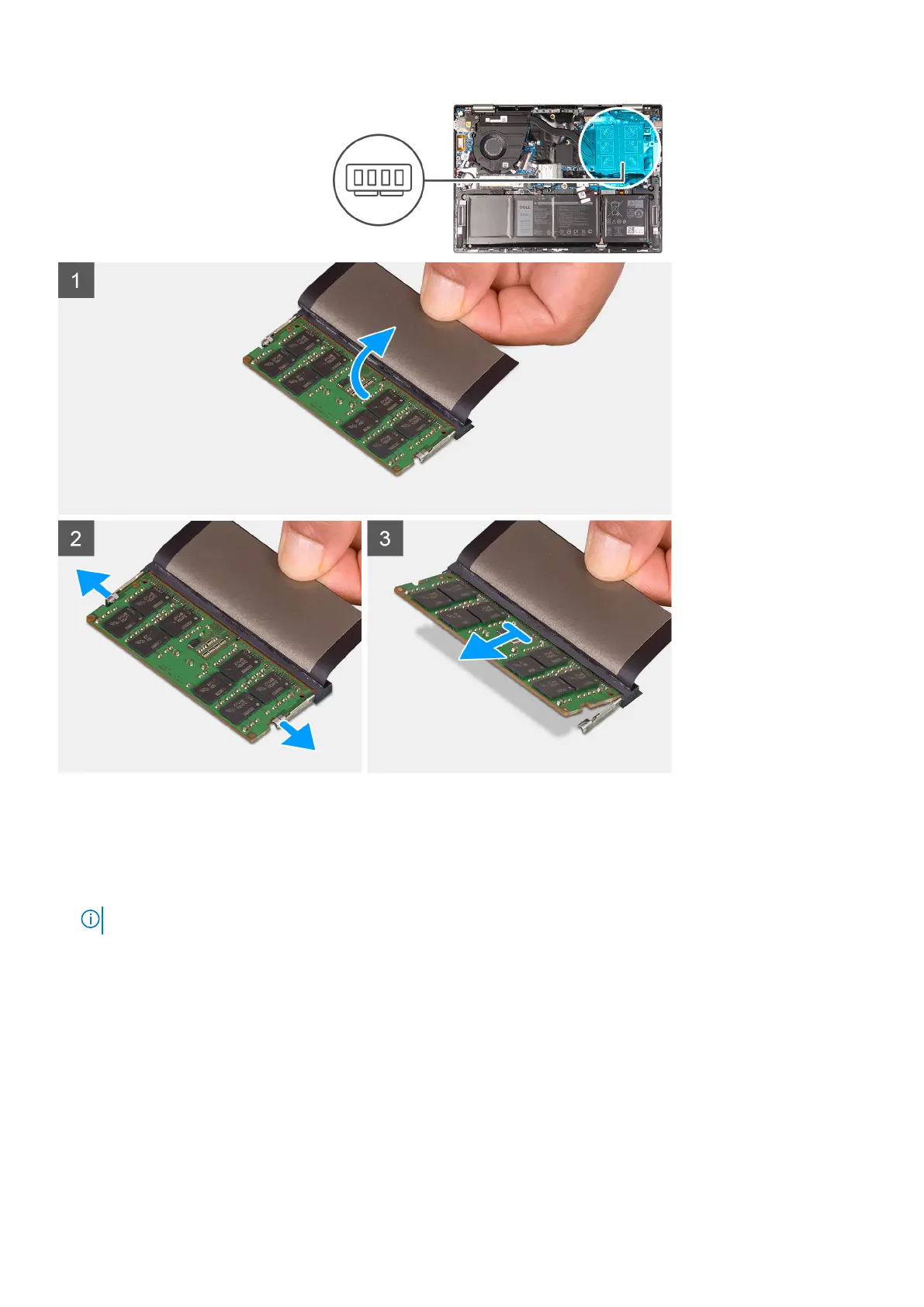
1. Lift the Mylar to access the memory.
2. Use your fingertips to carefully spread apart the securing-clips on each end of the memory slot until the memory module
pops up.
3. Slide and remove the memory module from the memory slot.
NOTE: Repeat step 1 to step 3 to remove any other memory module installed in your computer.
Installing the memory
Prerequisites
If you are replacing a component, remove the existing component before performing the installation procedure.
About this task
The following image indicates the location of the memory and provides a visual representation of the installation procedure.
Removing and installing components
23



 To Next Page