To set the maximum resolution for the monitor:
Windows Vista
®
or Windows
®
7:
1. Right-click on the desktop and select Personalization.
2. Click Change Display Settings.
3. Move the slider-bar to the right by pressing and holding the left mouse button and adjust the screen resolution.
4. Click OK.
If you do not see the recommended resolution as an option, you may need to update your graphics driver. Depending on your computer, complete one of the following procedures:
If you have a Dell desktop or portable computer:
Go to support.dell.com, enter your service tag, and download the latest driver for your graphics card.
If you are using a non-Dell computer (portable or desktop):
Go to the support site for your computer and download the latest graphic drivers.
Go to your graphics card website and download the latest graphic drivers.
Using Dell Soundbar
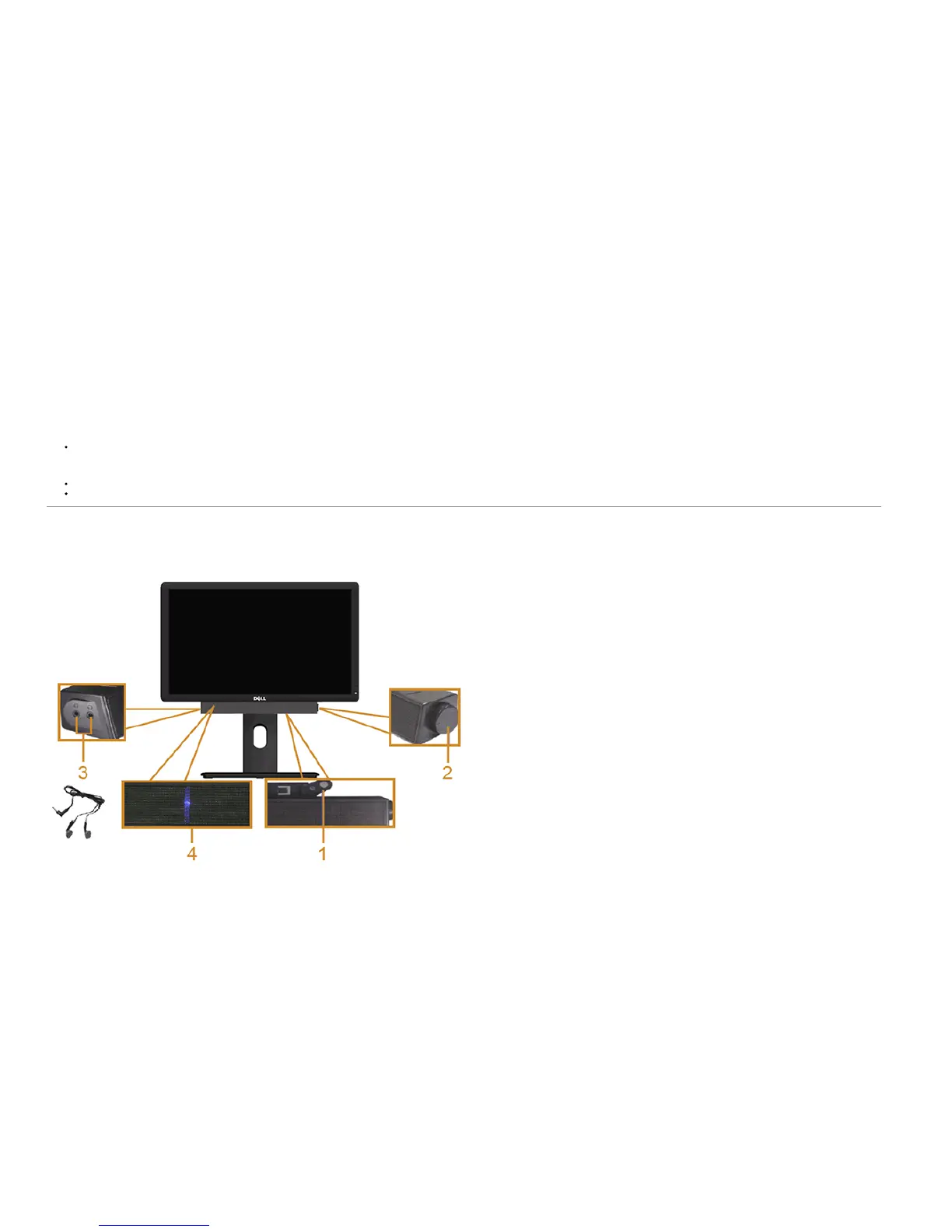
The soundbar has an on/off power and rotary volume control to adjust the overall sound system, a LED for power indication and two audio headset jacks.
1 Attach mechanism
2 Power/Volume control
3 Headphone jacks



 To Next Page